MiroFish AI prediction makes uncertainty easier to inspect.
MiroFish AI prediction is for people who want more than a single chatbot answer. It turns a specific scenario and source packet into competing reactions, plausible branches, visible assumptions, and a report that can be challenged.
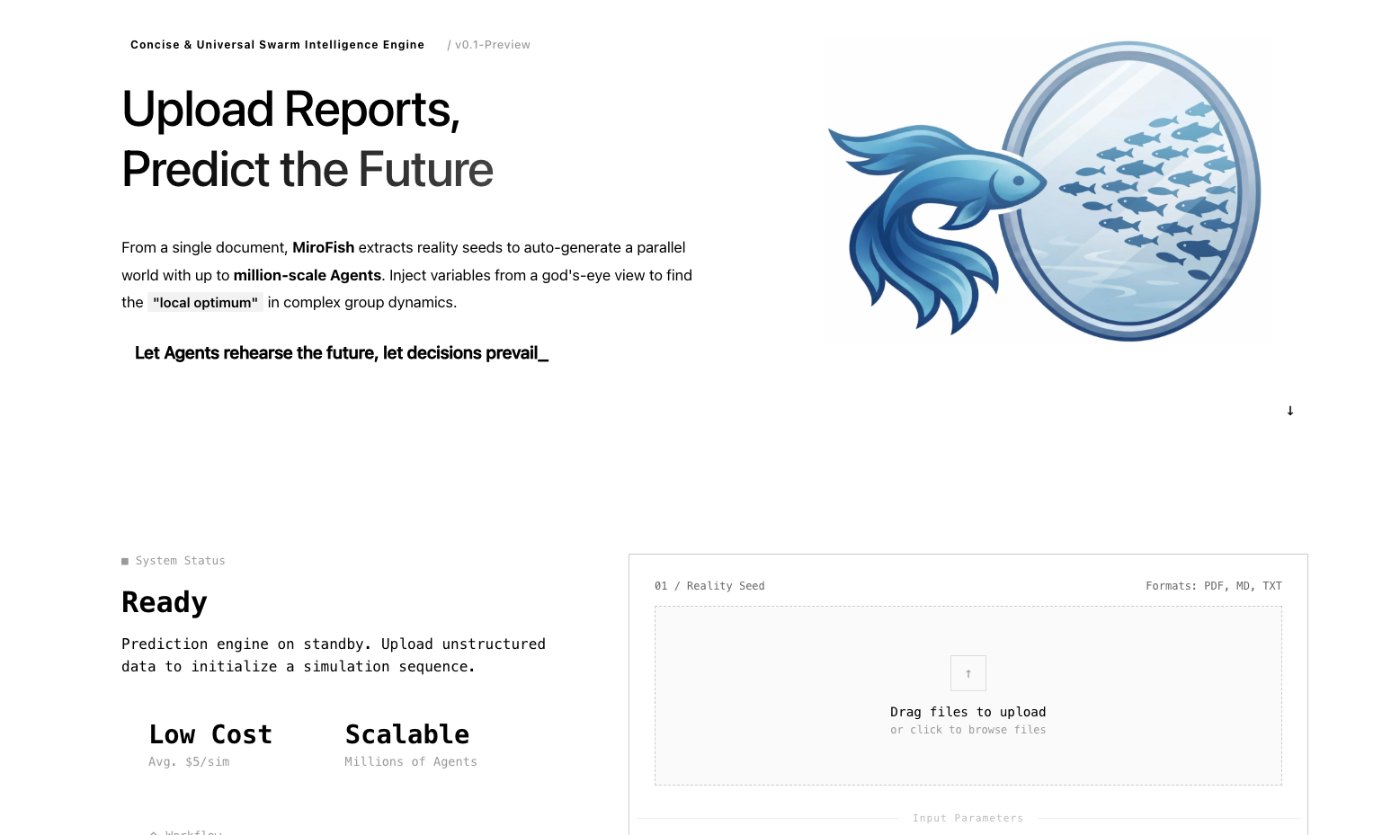
MiroFish seed material upload screen used here to explain MiroFish AI prediction.
1Focused reader question
5MiroFish product images from the notepad set
2:30Animated workflow walkthrough with input, graph, agents, simulation, and report
Direct answer
An AI prediction searcher typically wants to know whether a tool can anticipate an outcome and how much trust to place in it. MiroFish is designed for scenario rehearsal: it reveals paths and assumptions so a team can decide what to test, not a machine that guarantees a future.
The highest-value output is often the condition that changes the conclusion. When a report identifies a missing fact, a disputed incentive, or a fragile timing assumption, it gives the team an actionable research question instead of false confidence.
Scenario branches
Prediction is useful when the conditions behind each outcome stay visible.
Signal strengthensWhat evidence supports this path?Assumption breaksWhat would reverse the conclusion?New reaction emergesWhich perspective needs a fresh test?
Turn your question into a reviewable scenario
Use these steps to move from an initial question to a scenario, report, or practical next action.
Seed -> graph -> agents -> report
Name the outcome
Ask one observable question with a time horizon and decision context.
Ground the context
Supply dated sources, constraints, and the relevant actors.
Read the branches
Look for divergent reactions and the conditions behind each branch.
Test the weak point
Verify the most important assumption, then rerun only that condition.
Build a quick scenario worksheet
Draft the first MiroFish run on this page before opening a workspace.
Interactive worksheet
Prepare a useful first run
For MiroFish AI prediction, the strongest starting point is not a long prompt. It is a small operating brief that says what changed, who is affected, what evidence is known, and what decision the reader needs to make. Keep the first run narrow enough that a reviewer can trace every major output back to the source packet.
Use the preparation note on this page as the boundary for the first packet: The decision to support, dated source material, actor groups, constraints, timing, and the assumption most likely to change the result. A good packet also labels dates, separates facts from assumptions, and avoids private or stale material that would make the report difficult to trust.
The report should be treated as a working document. When it makes a claim, ask whether the claim came from the uploaded context, an inferred relationship, an agent reaction, or a gap that still needs outside verification. That habit keeps the workflow practical for teams that need a reviewable answer rather than a dramatic prediction.
Review checklist
Before acting on a MiroFish output, check whether the scenario stayed inside the question you asked. The most useful output for this page is: A multi-perspective prediction report with possible branches, confidence limits, disagreement, evidence gaps, and a focused next question. The key limit is equally important: MiroFish AI prediction is not prophecy, investment advice, legal advice, or a replacement for real-world measurement and judgment.
Name the outcome. Ask one observable question with a time horizon and decision context.
Ground the context. Supply dated sources, constraints, and the relevant actors.
Read the branches. Look for divergent reactions and the conditions behind each branch.
Test the weak point. Verify the most important assumption, then rerun only that condition.
What to compare in the output
Use these checkpoints to turn the first MiroFish result into a grounded next action.
Review before action
Scenario: A question plus a time horizon. Creates an inspectable prediction task. Avoid vague futures.
Perspectives: Affected roles and incentives. Shows disagreement instead of one answer. Review setup.
Report: Branches and assumptions. Turns uncertainty into discussion. Check source backing.
Next test: A targeted evidence question. Connects simulation to reality. Do not skip verification.
Watch the full MiroFish workflow
This 2 minute 30 second animated walkthrough moves from source material through graph construction, agent activity, simulation events, report review, and follow-up questions.
2:30 animated walkthrough
Follow the full animated workflow, then use the page-specific checklist to prepare your own MiroFish run.
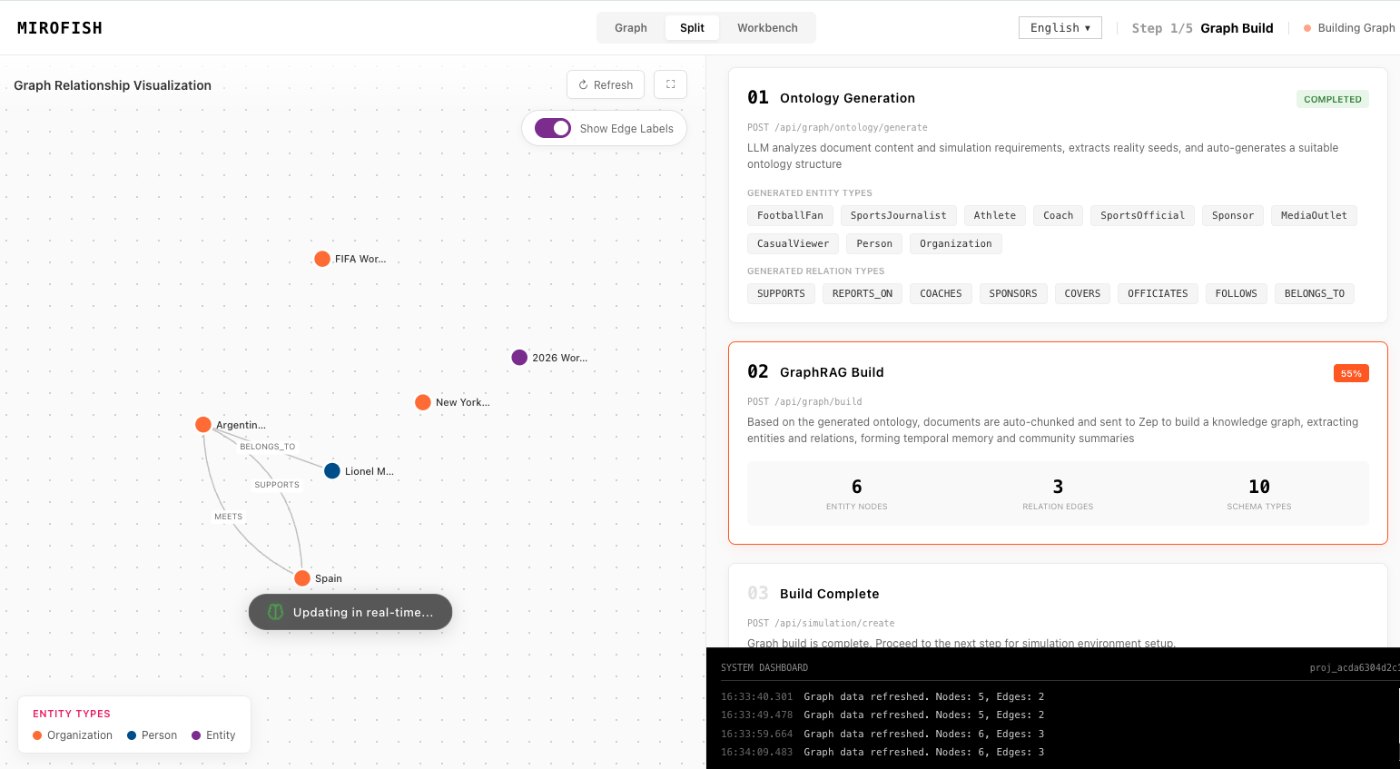
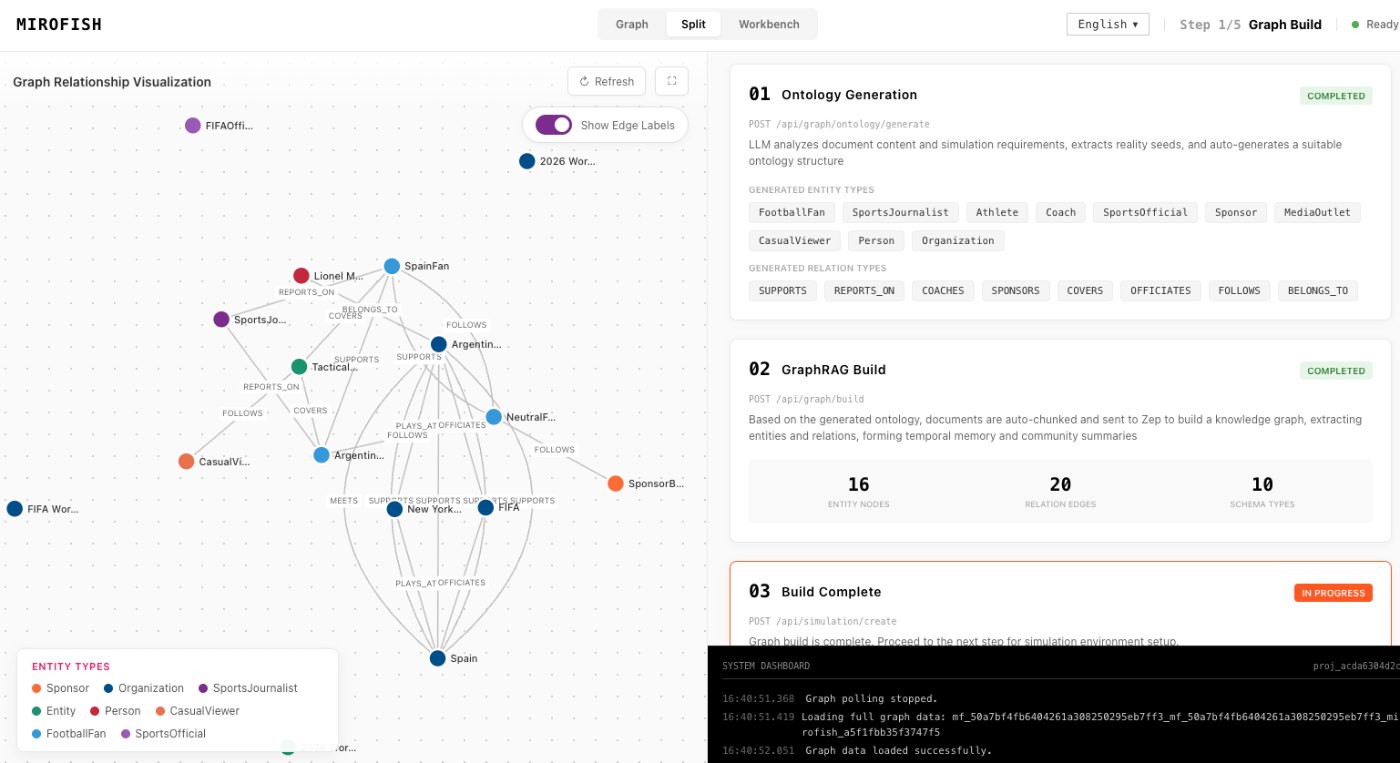
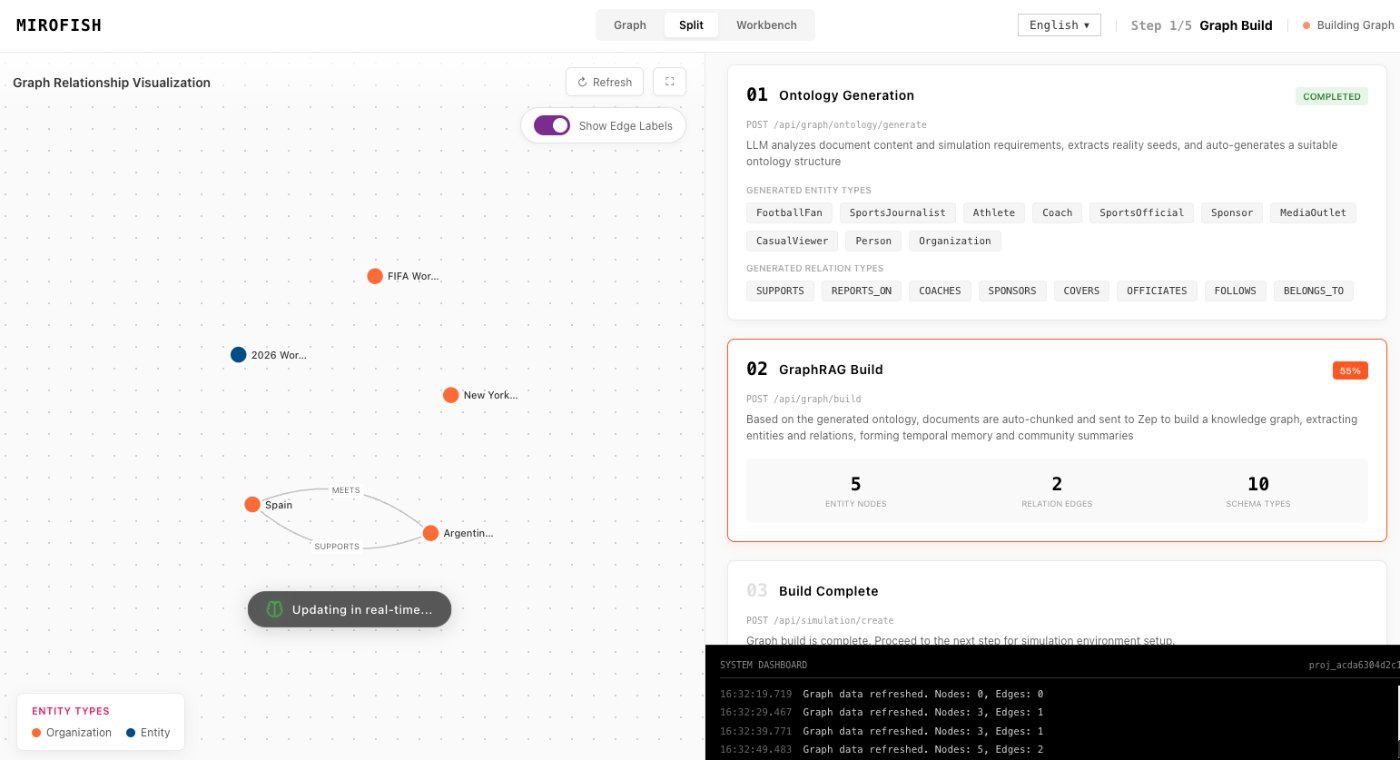
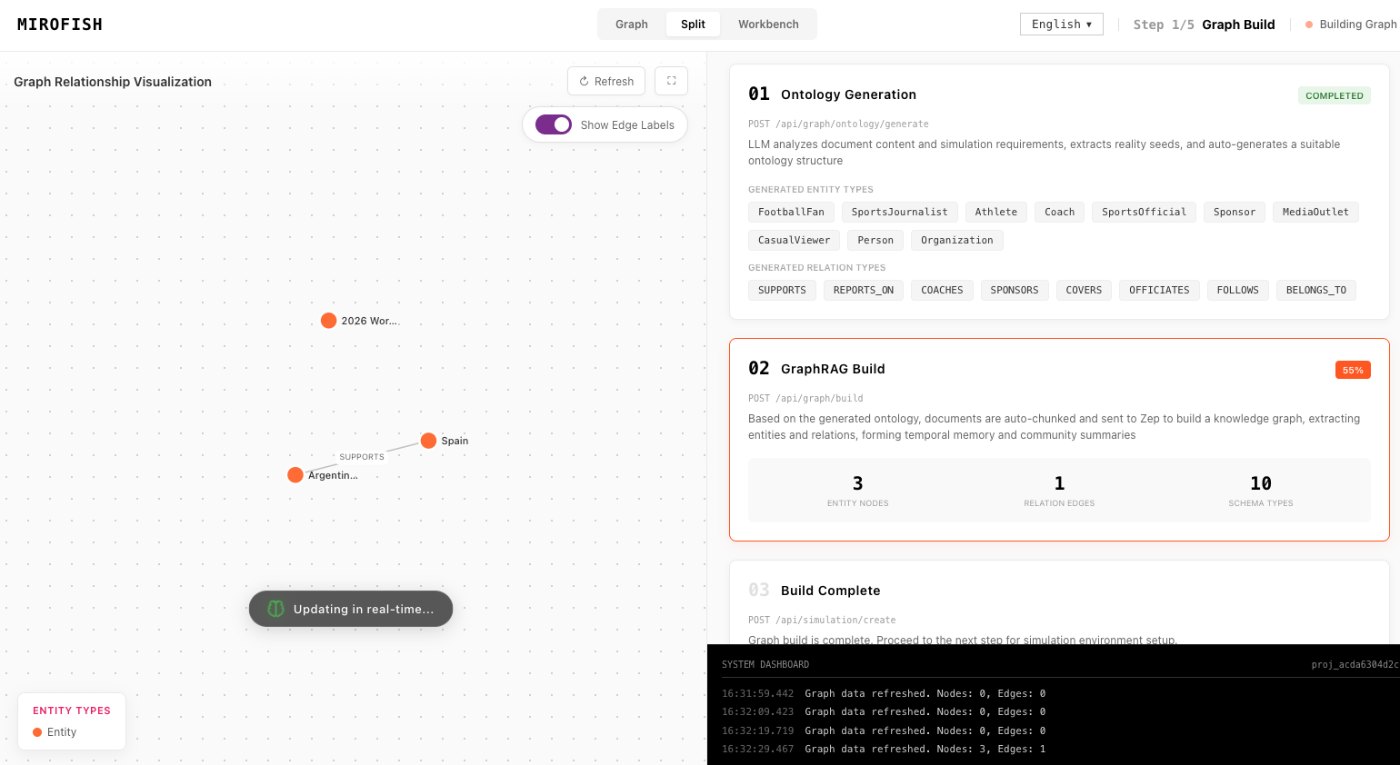
Product screenshots from the workflow
These images come from the notepad MiroFish image set and are used as concrete workflow references rather than decoration.
4 more images
MiroFish persona setup workspace used as a concrete workflow reference.MiroFish simulation progress screen used as a concrete workflow reference.MiroFish relationship graph review used as a concrete workflow reference.MiroFish graph construction workspace used as a concrete workflow reference.
A realistic use case
A policy team can ask how a draft rule may be received by residents, businesses, advocates, and media. The report highlights where the message is misunderstood and what evidence or clarification could change the reaction.
The value of the page is practical: define the job, prepare the right input, read the output with its limits visible, and choose a next step that can be checked outside the page.
How to read the report
Read a MiroFish report as a map of assumptions and reactions. Mark source-backed claims, uncertain claims, and follow-up questions separately. Then choose one change for the next run instead of accepting the first report as final.