MiroFish Live: run a focused scenario, then inspect the report.
MiroFish Live is for people ready to move from a question and a short source packet into a browser-based scenario run. It helps you rehearse reactions before a launch, message, policy, or market decision.
MiroFish simulation report detail used here to explain MiroFish live.
1Focused reader question
3MiroFish product images from the notepad set
2:30Animated workflow walkthrough with input, graph, agents, simulation, and report
Direct answer
A MiroFish Live search usually means the reader wants a usable web workflow, not a source-code tour. Begin with a narrow question, upload a small current packet, inspect the generated context, and save the first report before changing anything.
Live does not mean instant certainty. The useful result is a reviewable run: which perspectives reacted, where the story split, what assumptions carried the result, and what fresh evidence could change the next run.
LIVE SCENARIO LOOP
Use a live run to keep decisions moving.
Every pass has a visible handoff: prepare the current packet, inspect the world, capture the baseline, and assign the next evidence check.
BriefContextRunReviewRerun
Turn your question into a reviewable scenario
Use these steps to move from an initial question to a scenario, report, or practical next action.
Seed -> graph -> agents -> report
Frame the question
Write one change and one audience whose reaction matters.
Add current context
Use a compact, dated packet instead of an unfiltered archive.
Inspect before running
Check entities, relationships, and role setup while the scenario is still easy to adjust.
Save a baseline
Keep the first report, then test only one changed condition in the next run.
Build a quick scenario worksheet
Draft the first MiroFish run on this page before opening a workspace.
Interactive worksheet
Prepare a useful first run
Live work has a different rhythm from documentation reading. A team arrives with a decision already on the calendar: a release date, a statement, a partnership choice, or a customer change. The best preparation is a short live brief with a deadline, the relevant audience, and a list of facts that are current enough to affect the decision. That keeps the workspace from becoming a second archive.
Use the live view to check the shape of the scenario before letting the run carry too much weight. Are the actors specific enough? Does the graph contain the actual relationship that matters? Are competing incentives represented? A few minutes of setup review can prevent a report from appearing thoughtful while answering the wrong question.
When a live report is complete, schedule the human follow-up immediately. Assign one owner to each evidence gap, preserve the baseline, and give the next run a single purpose such as testing timing, wording, or a new constraint. The practical value of Live is a repeatable decision loop, not a single impressive screen.
Review checklist
Before acting on a MiroFish output, check whether the scenario stayed inside the question you asked. The most useful output for this page is: A browser-based simulation record with graph context, simulated reactions, a report, and a controlled rerun question. The key limit is equally important: A live simulation is decision rehearsal, not a live-data terminal, professional advice, or a guarantee about what will happen.
Frame the question. Write one change and one audience whose reaction matters.
Add current context. Use a compact, dated packet instead of an unfiltered archive.
Inspect before running. Check entities, relationships, and role setup while the scenario is still easy to adjust.
Save a baseline. Keep the first report, then test only one changed condition in the next run.
What to compare in the output
Use these checkpoints to turn the first MiroFish result into a grounded next action.
Review before action
Question: One decision and time window. Keeps the live run bounded. Reject vague or mixed requests.
Context: Current sources and known constraints. Gives agents something to react to. Label dates and assumptions.
Baseline: The first saved report. Makes comparison possible. Keep it unchanged.
Rerun: One altered condition. Shows what actually changed. Verify outside evidence.
Watch the full MiroFish workflow
This 2 minute 30 second animated walkthrough moves from source material through graph construction, agent activity, simulation events, report review, and follow-up questions.
2:30 animated walkthrough
Follow the full animated workflow, then use the page-specific checklist to prepare your own MiroFish run.
Product screenshots from the workflow
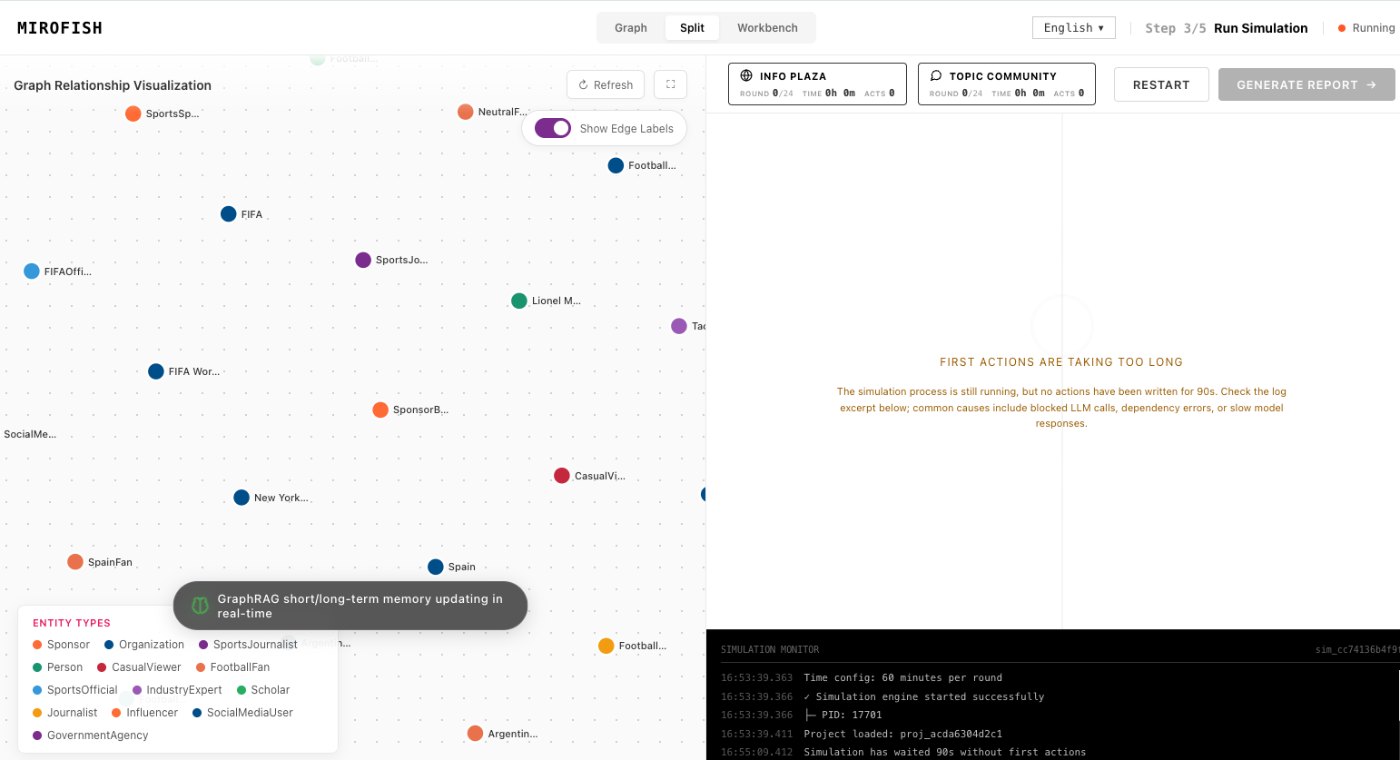
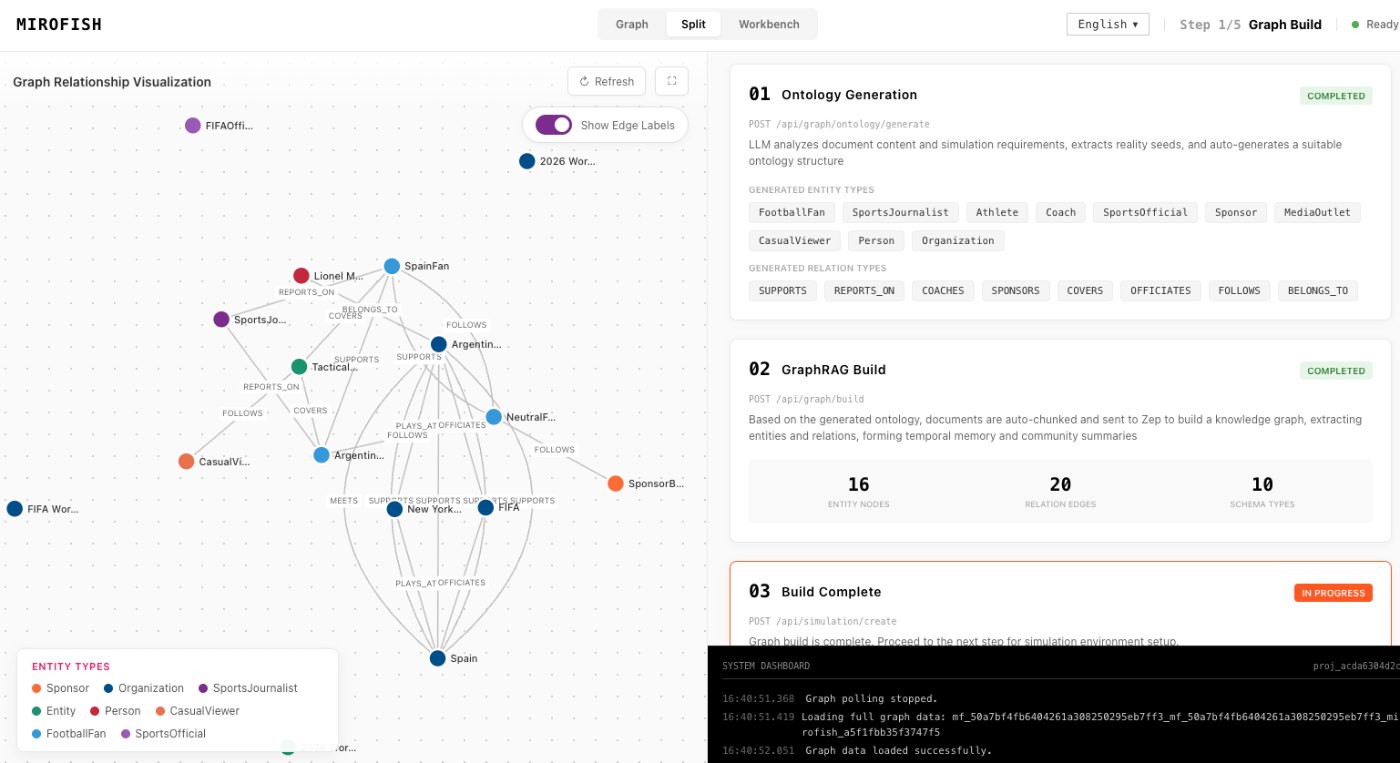
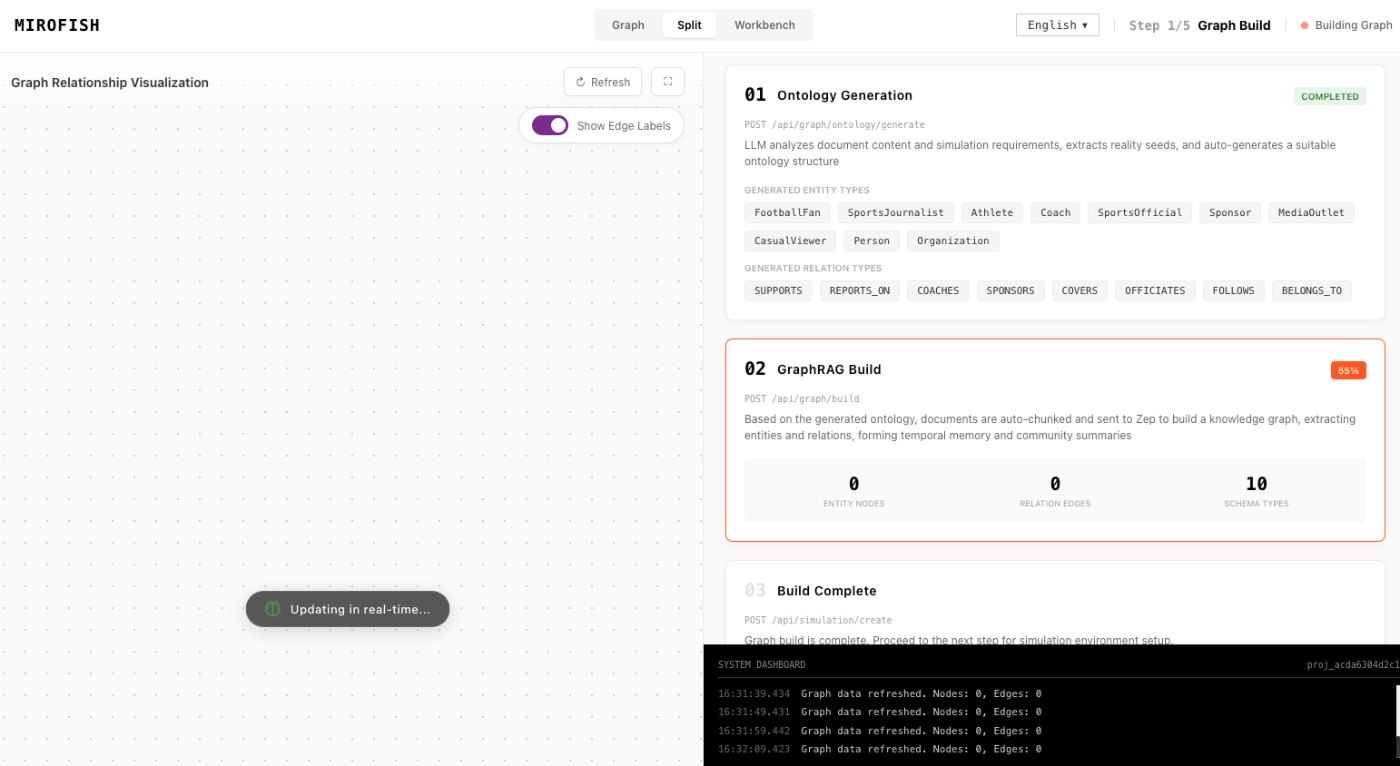
These images come from the notepad MiroFish image set and are used as concrete workflow references rather than decoration.
2 more images
MiroFish simulation progress screen used as a concrete workflow reference.MiroFish source-to-graph workspace used as a concrete workflow reference.
A realistic use case
A communications team can test a launch statement with customer, critic, partner, and media perspectives. The first report reveals what needs evidence; the second run tests a revised claim rather than rewriting the whole scenario.
The value of the page is practical: define the job, prepare the right input, read the output with its limits visible, and choose a next step that can be checked outside the page.
How to read the report
Read a MiroFish report as a map of assumptions and reactions. Mark source-backed claims, uncertain claims, and follow-up questions separately. Then choose one change for the next run instead of accepting the first report as final.