MiroFish Demo: see the workflow before you commit a scenario.
MiroFish Demo is a hands-on preview for people who want to understand the workflow and report shape before they start a workspace. Follow the same sequence a real run uses: source material, context, perspectives, simulation, and report review.
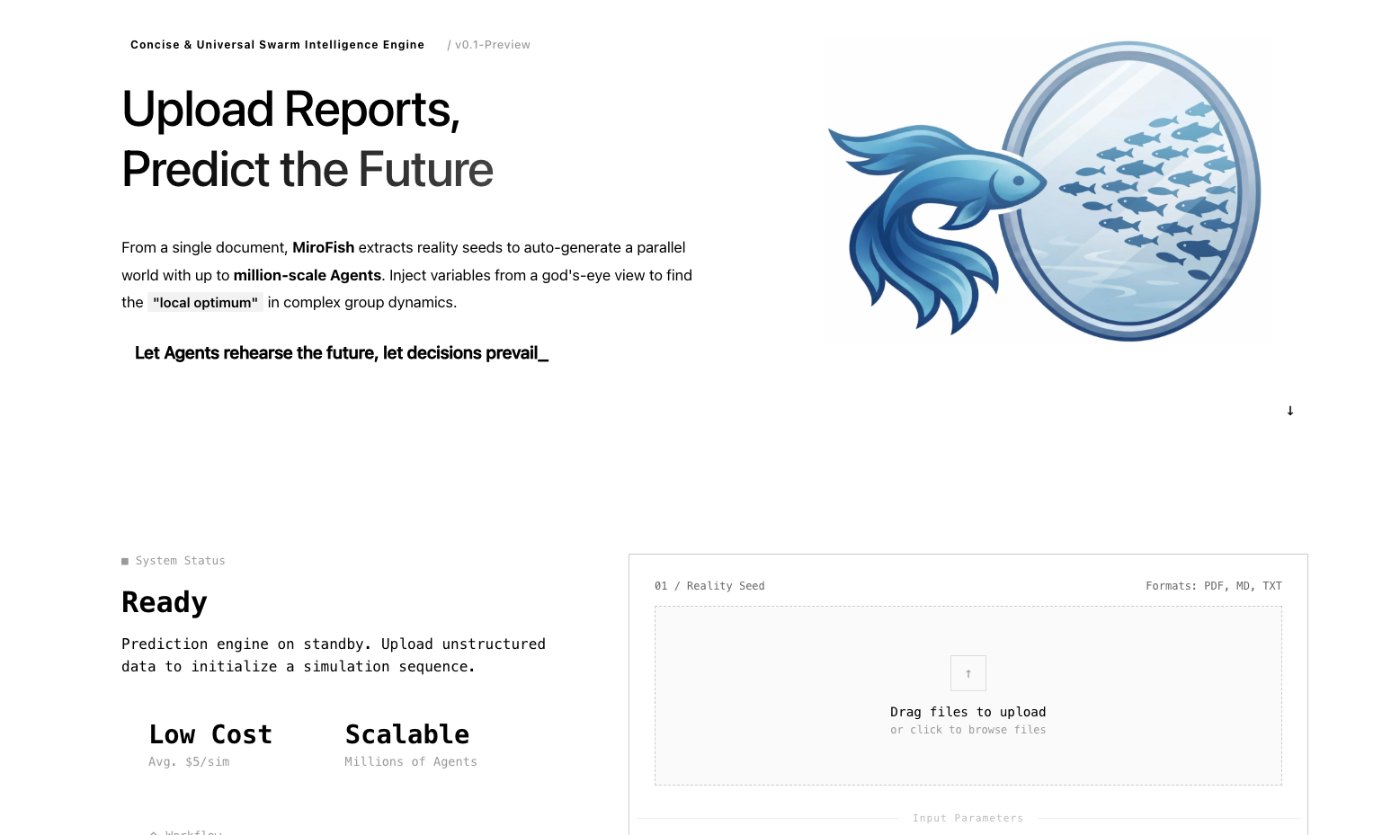
MiroFish seed material upload screen used here to explain MiroFish Demo.
1Focused reader question
3MiroFish product images from the notepad set
2:30Animated workflow walkthrough with input, graph, agents, simulation, and report
Direct answer
A demo searcher usually wants proof of how the product feels, not another definition. This page gives a guided preview of the workflow and a small planning worksheet so you can arrive at a real first run with a question, source packet, and evaluation criteria already prepared.
A demo should show the decision boundary too. The output is a scenario report with branches and assumptions, not a promise that the system can know a future event or make a decision on your behalf.
Source
A focused scenario begins with evidence you can name.
Use the tabs to preview how one small brief becomes an inspectable MiroFish report.
Turn your question into a reviewable scenario
Use these steps to move from an initial question to a scenario, report, or practical next action.
Seed -> graph -> agents -> report
Choose a safe example
Use a public launch, policy, or fictional scenario rather than confidential material.
Watch the full workflow
Follow the animated tour from input through report review.
Draft your question
Use the worksheet to state what changed and whose reaction matters.
Start small
Open a workspace only when the first packet and review goal are clear.
Build a quick scenario worksheet
Draft the first MiroFish run on this page before opening a workspace.
Interactive worksheet
Prepare a useful first run
For MiroFish Demo, the strongest starting point is not a long prompt. It is a small operating brief that says what changed, who is affected, what evidence is known, and what decision the reader needs to make. Keep the first run narrow enough that a reviewer can trace every major output back to the source packet.
Use the preparation note on this page as the boundary for the first packet: A simple scenario you can describe without private details, a small public or fictional source packet, and one question you would use to judge the report. A good packet also labels dates, separates facts from assumptions, and avoids private or stale material that would make the report difficult to trust.
The report should be treated as a working document. When it makes a claim, ask whether the claim came from the uploaded context, an inferred relationship, an agent reaction, or a gap that still needs outside verification. That habit keeps the workflow practical for teams that need a reviewable answer rather than a dramatic prediction.
Review checklist
Before acting on a MiroFish output, check whether the scenario stayed inside the question you asked. The most useful output for this page is: A guided understanding of the product flow plus a ready-to-use outline for your first MiroFish scenario. The key limit is equally important: A demo illustrates workflow and report structure. It is not a validated real-world forecast or a substitute for direct research.
Choose a safe example. Use a public launch, policy, or fictional scenario rather than confidential material.
Watch the full workflow. Follow the animated tour from input through report review.
Draft your question. Use the worksheet to state what changed and whose reaction matters.
Start small. Open a workspace only when the first packet and review goal are clear.
What to compare in the output
Use these checkpoints to turn the first MiroFish result into a grounded next action.
Review before action
Preview: A guided visual walkthrough. Shows the product sequence. Do not treat it as a report result.
Example question: One safe, focused situation. Makes the demo concrete. Avoid confidential data.
Worksheet: Your first-run outline. Turns watching into preparation. Keep it short.
Workspace: The next step after preparation. Lets you run a real scenario. Review limits first.
Watch the full MiroFish workflow
This 2 minute 30 second animated walkthrough moves from source material through graph construction, agent activity, simulation events, report review, and follow-up questions.
2:30 animated walkthrough
Follow the full animated workflow, then use the page-specific checklist to prepare your own MiroFish run.
Product screenshots from the workflow
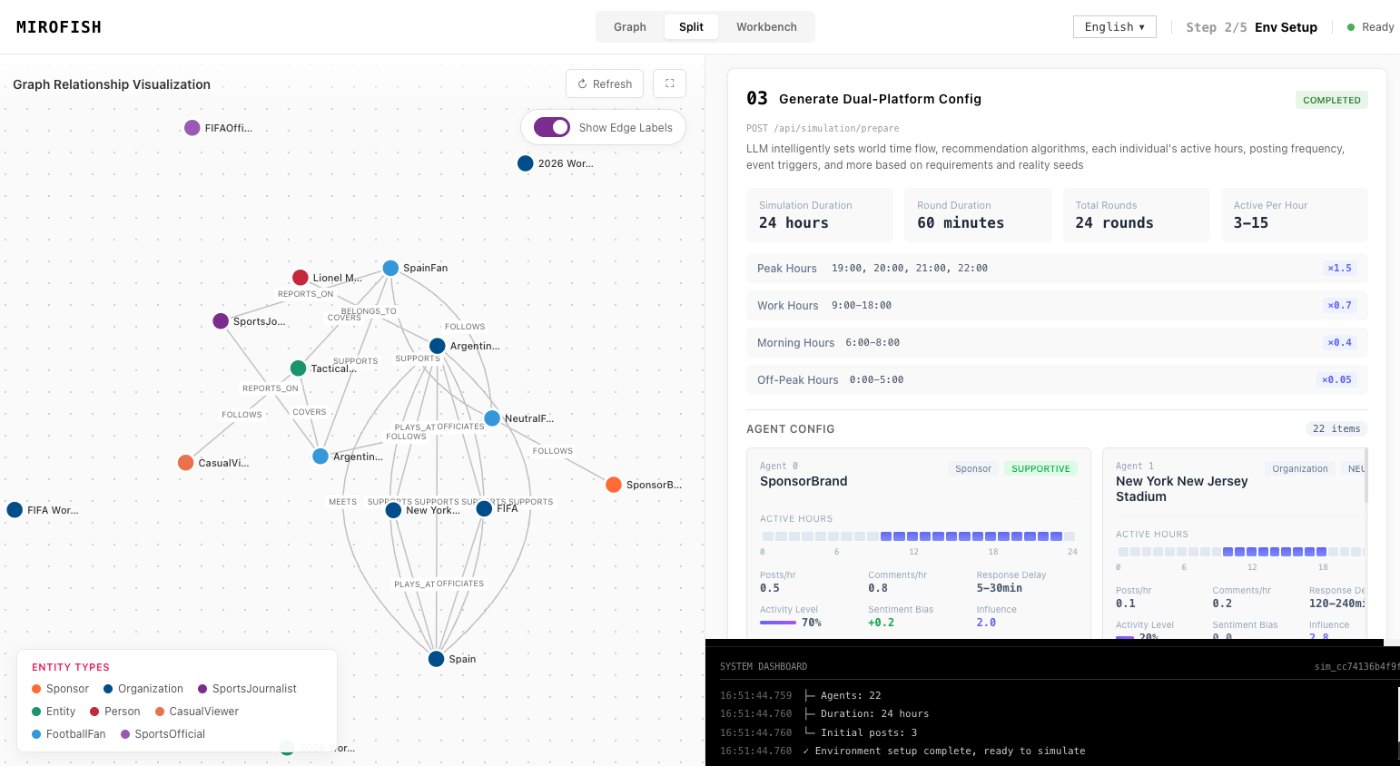
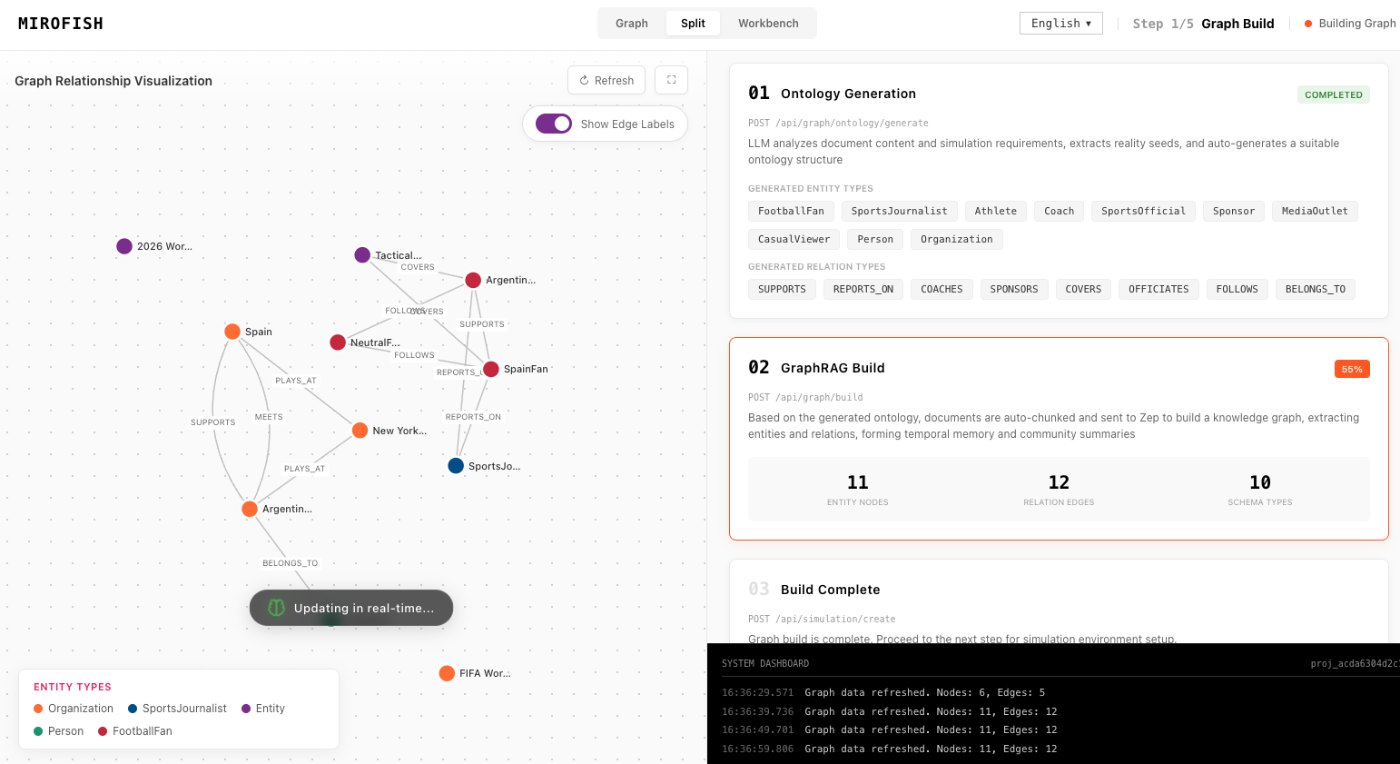
These images come from the notepad MiroFish image set and are used as concrete workflow references rather than decoration.
2 more images
MiroFish event and reaction workspace used as a concrete workflow reference.MiroFish agent configuration workspace used as a concrete workflow reference.
A realistic use case
A team considering a new help-center policy can use a public mock brief to watch the workflow, then draft the actual question and audience groups before adding internal material to a real workspace.
The value of the page is practical: define the job, prepare the right input, read the output with its limits visible, and choose a next step that can be checked outside the page.
How to read the report
Read a MiroFish report as a map of assumptions and reactions. Mark source-backed claims, uncertain claims, and follow-up questions separately. Then choose one change for the next run instead of accepting the first report as final.