Simulated people in MiroFish should be role-based, bounded, and reviewable.
MiroFish uses simulated people as perspectives inside a scenario. They help compare reactions, but they must stay grounded in role context rather than pretending to be private real individuals.
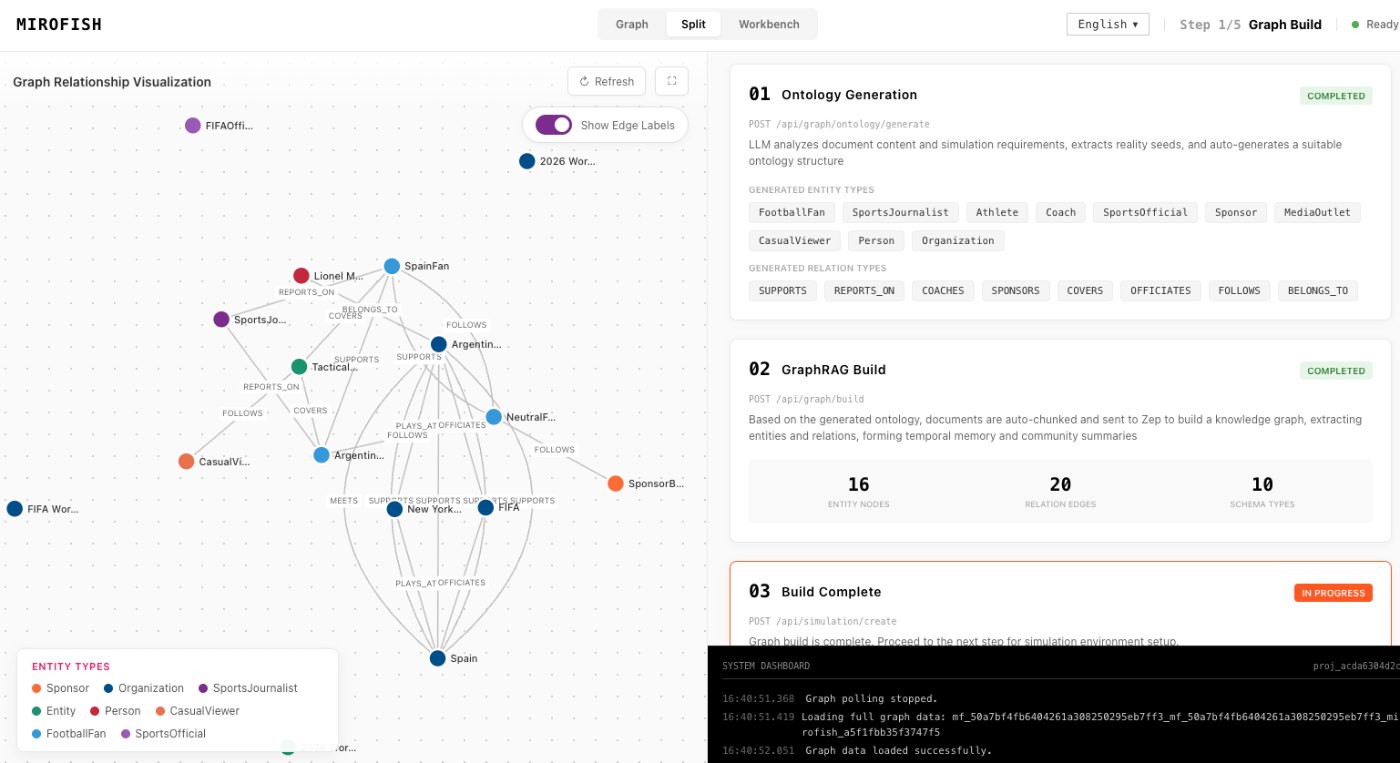
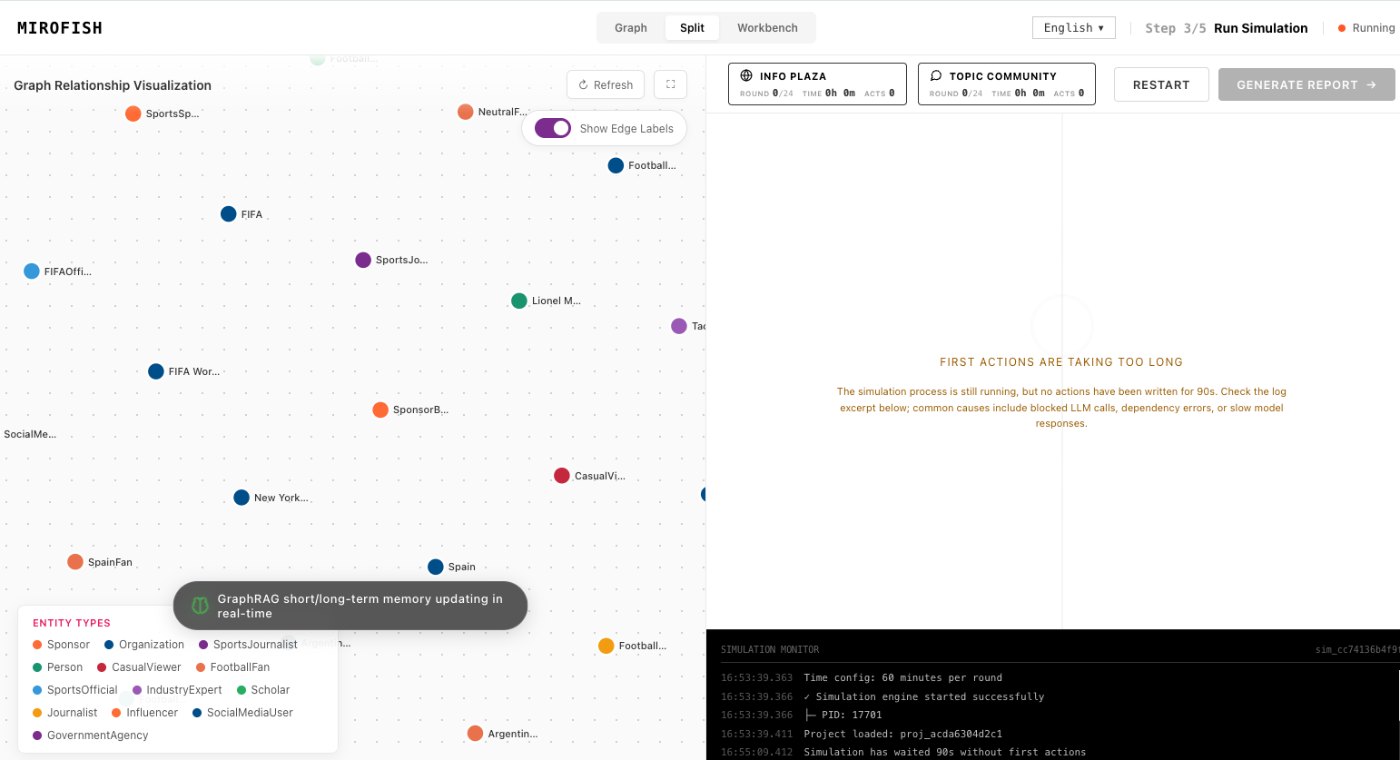
MiroFish simulation progress screen used here to explain simulated people.
1Focused reader question
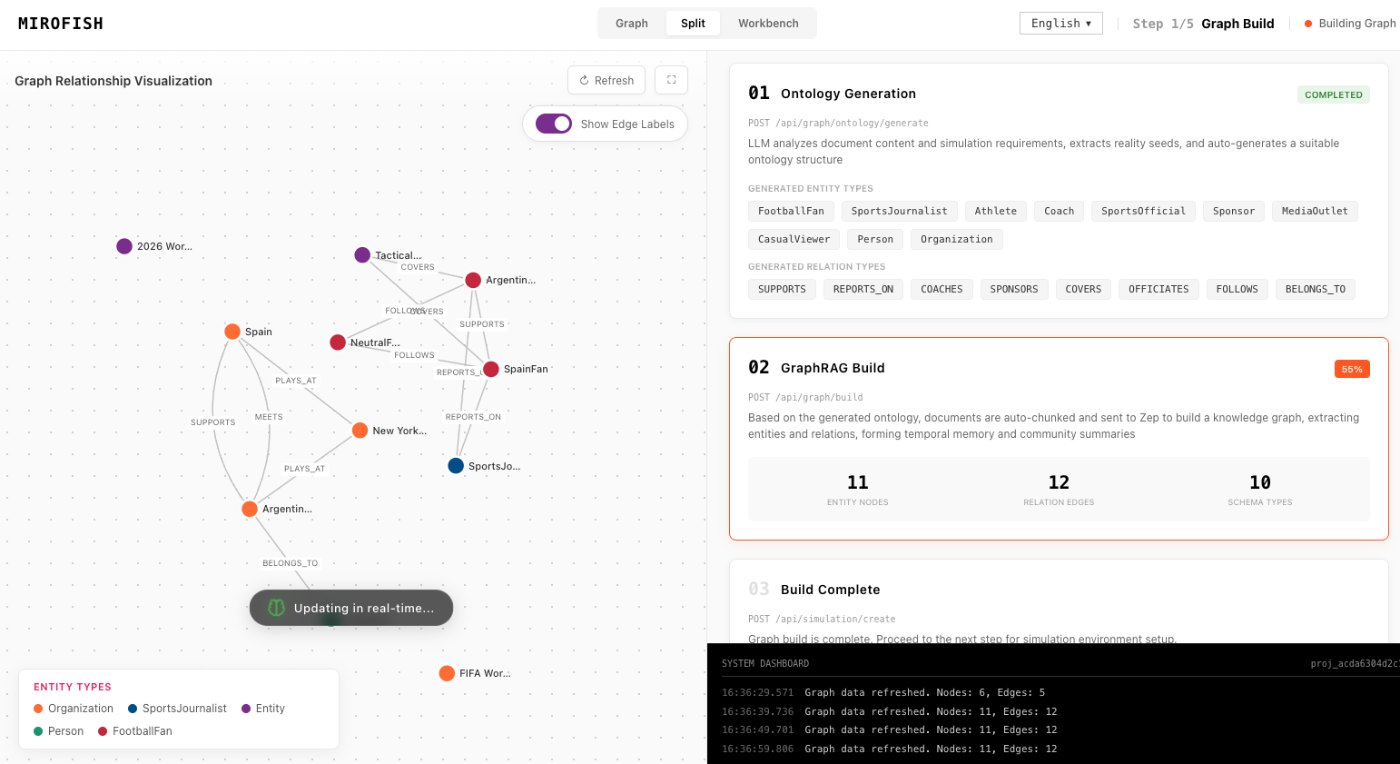
3MiroFish product images from the notepad set
2:30Animated workflow walkthrough with input, graph, agents, simulation, and report
Direct answer
The phrase simulated people can raise the right questions. Are these real people? What do they know? What are they allowed to represent? In MiroFish, the safer framing is role-based personas: buyer, critic, analyst, fan, regulator, operator, or community member.
Simulated people are most useful when they reveal disagreement. They are least useful when they invent private traits, stereotypes, or personal claims that are not in the source material.
Turn your question into a reviewable scenario
Use these steps to move from an initial question to a scenario, report, or practical next action.
Seed -> graph -> agents -> report
Use roles, not private identities
Describe the perspective needed for the decision.
Set knowledge limits
A persona should not know facts outside its role or the seed material.
Balance the group
Include supporters, skeptics, operators, and edge-case users when relevant.
Review outputs carefully
Treat reactions as simulated prompts for research, not real quotes.
Build a quick scenario worksheet
Draft the first MiroFish run on this page before opening a workspace.
Interactive worksheet
Simulated people practical checklist
These checkpoints keep the page tightly matched to the exact search phrase while staying useful for a real MiroFish run.
Reader fit
Simulated people guide checkpoint: Reader intent: a simulated people visitor should get the short answer, the right MiroFish workflow step, and a concrete way to continue without hunting through the site.
Simulated people guide checkpoint: Source packet: use Stakeholder roles, public context, user-provided source material, known incentives, knowledge boundaries, and the reactions you need to compare. Keep the first packet compact so the result can be traced back to evidence instead of broad prompting.
Simulated people guide checkpoint: Workflow fit: connect the search phrase to seed material, graph review, role setup, simulation events, and a report that can be challenged by a human reader.
Simulated people guide checkpoint: Report standard: the best result is A set of simulated perspectives that respond to scenario events and help ReportAgent explain role divergence, objections, trust gaps, and likely next reactions. That output should preserve assumptions, disagreement, and next actions rather than sounding certain.
Simulated people guide checkpoint: Verification habit: mark which claims came from source context, which came from agent reaction, and which still need a fresh outside check before action.
Simulated people guide checkpoint: Rerun trigger: choose one changed condition from the report and compare it with the baseline instead of changing the prompt, roles, and evidence all at once.
Simulated people guide checkpoint: Decision use: treat the page as a planning aid, then move into MiroFish only after the question, actors, time horizon, and limit are clear.
Simulated people guide checkpoint: Boundary: Do not use simulated people to impersonate private individuals, infer sensitive traits, or replace direct user research when real feedback is needed. A useful reader leaves with a sharper question, not a guarantee.
Prepare a useful first run
The safest way to use simulated people is to treat them as research prompts, not substitutes for real participants. A role can represent a kind of concern, such as trust, cost, access, compliance, enthusiasm, fatigue, or skepticism. It should not claim to know a named private person or produce fabricated testimonials.
Boundaries are part of the design. State what the role can know, what evidence it has seen, what it cannot infer, and which reaction should be treated as hypothetical. That makes the simulated cohort easier to audit and prevents the page from implying that generated reactions are the same as field research.
The value appears when the generated roles disagree in ways that suggest real research questions. If a critic reacts to missing proof, interview real critics or collect stronger evidence. If a supporter reacts to novelty, test whether that excitement survives pricing, onboarding, and repeated use.
Use the output to plan real validation. A simulated supporter can suggest language to test, a skeptical role can surface objections, and an operator role can reveal delivery risks. None of those reactions should be quoted as evidence, but each can become a survey question, interview prompt, usability task, or monitoring item.
When a role feels too specific, generalize it. Replace a named private individual with a public stakeholder category, replace a sensitive trait with a role-level constraint, and replace guessed motivation with a visible incentive from the source packet. This keeps the simulation useful without pretending to possess hidden knowledge.
Review checklist
Before acting on a MiroFish output, check whether the scenario stayed inside the question you asked. The most useful output for this page is: A set of simulated perspectives that respond to scenario events and help ReportAgent explain role divergence, objections, trust gaps, and likely next reactions. The key limit is equally important: Do not use simulated people to impersonate private individuals, infer sensitive traits, or replace direct user research when real feedback is needed.
Use roles, not private identities. Describe the perspective needed for the decision.
Set knowledge limits. A persona should not know facts outside its role or the seed material.
Balance the group. Include supporters, skeptics, operators, and edge-case users when relevant.
Review outputs carefully. Treat reactions as simulated prompts for research, not real quotes.
What to compare in the output
Use these checkpoints to turn the first MiroFish result into a grounded next action.
Review before action
Role persona: A stakeholder viewpoint. Compares reactions. Avoid real-person imitation.
Knowledge boundary: What the persona can know. Keeps simulation fair. Do not leak private context.
Reaction pattern: How the role responds. Shows narrative movement. Check against source material.
Research prompt: Question for real users. Moves from simulation to evidence. Do not fabricate proof.
Watch the full MiroFish workflow
This 2 minute 30 second animated walkthrough moves from source material through graph construction, agent activity, simulation events, report review, and follow-up questions.
2:30 animated walkthrough
Follow the full animated workflow, then use the page-specific checklist to prepare your own MiroFish run.
Product screenshots from the workflow
These images come from the notepad MiroFish image set and are used as concrete workflow references rather than decoration.
2 more images
MiroFish simulation report detail used as a concrete workflow reference.MiroFish agent configuration workspace used as a concrete workflow reference.
A realistic use case
For a community policy change, simulated people might include a long-time member, a new user, a moderator, a critic, and a sponsor. Their disagreement can reveal where the policy needs clearer explanation.
The value of the page is practical: define the job, prepare the right input, read the output with its limits visible, and choose a next step that can be checked outside the page.
How to read the report
Read a MiroFish report as a map of assumptions and reactions. Mark source-backed claims, uncertain claims, and follow-up questions separately. Then choose one change for the next run instead of accepting the first report as final.