Scenario prediction is about branches, not one final answer.
MiroFish helps with scenario prediction when the outcome depends on people, incentives, timing, and imperfect evidence. Use this page to shape the question, then open the console with a smaller, reviewable run.
2:30Animated workflow walkthrough for input, graph, agents, simulation, and report review
3Reviewable outputs to keep: branch map, early signals, and response options
Direct answer
Someone searching scenario prediction usually needs help seeing more than one plausible future path. MiroFish supports that by grounding the scenario in seed material, building a relationship graph, letting agent personas react, and producing a report that explains why paths diverge.
The page is useful when the decision still has room to change. The point is not to label one branch as guaranteed. The point is to make competing paths concrete enough that a team can prepare, monitor signals, and choose a next test.
What a useful scenario prediction run needs
The best runs start with a narrow fork and end with a response plan, not a vague prediction label.
Branch-ready input
Question part
Good input
Weak input
Console handoff
Fork
One decision or event that could change the path
"What will happen next year?"
Describe the fork in the first console message
Actors
The groups whose incentives or fears differ
One generic audience
Name the people MiroFish should simulate
Signals
Facts that would make a branch more believable
Vibes, hopes, or a single headline
Ask the report to separate early signs from conclusions
Response
An action the team can prepare before the signal appears
A prediction with no decision attached
Use follow-up chat to test one response option
Turn your question into a reviewable scenario
Use these steps to move from an initial question to a console-ready scenario, report, or practical next action.
Seed -> graph -> agents -> report
Define the fork
Name the point where the future could branch.
Attach evidence
Upload source material that explains the current context.
Simulate reactions
Let different actors respond to events, constraints, and each other.
Monitor signals
Turn report findings into indicators to watch outside MiroFish.
Build a quick scenario worksheet
Draft the first MiroFish run on this page before opening a workspace.
Interactive worksheet
Prepare a useful first run
Start by naming the fork in the road. A scenario prediction run becomes useful when the user can point to the exact moment where outcomes may diverge: a launch date, a policy announcement, a competitor move, a funding decision, a public controversy, or a change in evidence. Without that fork, the output often becomes a general forecast with no planning value.
Next, define branches with causes, not just labels. A base branch should describe what keeps the current path stable. An upside branch should explain which proof, audience reaction, or timing advantage creates momentum. A downside branch should explain what breaks trust, slows adoption, or changes incentives. A surprise branch should be plausible enough to monitor, not sensational.
The report should turn each branch into signals and responses. Signals are outside facts that would make a branch more believable: adoption rate, press tone, policy language, objections from buyers, competitor pricing, community response, or operational delay. Responses are the actions the team can prepare before the signal appears.
This is why scenario prediction differs from a simple answer. The reader leaves with a watchlist, a decision rule, and a reason to rerun after one meaningful change. MiroFish helps by making the branch logic explicit enough that a team can argue over assumptions before the real-world moment arrives.
Make the branch names operational. Labels such as "fast adoption," "trust delay," "cost resistance," or "policy friction" are easier to use than vague optimistic and pessimistic names. A clear label tells the reader what to monitor and what preparation would change the outcome.
Review checklist
Before acting on a MiroFish output, check whether the scenario stayed inside the question you asked. The most useful output for this page is a scenario prediction report with a branch map, actor reactions, assumptions, early warning signals, and follow-up prompts. The key limit is equally important: scenario prediction cannot remove uncertainty. It should expose uncertainty clearly enough for better planning.
Define the fork. Name the point where the future could branch.
Attach evidence. Upload source material that explains the current context.
Simulate reactions. Let different actors respond to events, constraints, and each other.
Monitor signals. Turn report findings into indicators to watch outside MiroFish.
What to compare in the output
Use these checkpoints to turn the first MiroFish result into a grounded next action.
Review before action
Branch: A plausible path from the same starting point. Prevents one-path thinking. Name the trigger.
Actor: A stakeholder role affected by the scenario. Shows reaction diversity. Avoid stereotypes.
Signal: A fact that would make one branch stronger. Supports monitoring. Measure outside model.
Response: What the team can do next. Makes the report useful. Tie to a decision.
Watch the full MiroFish workflow
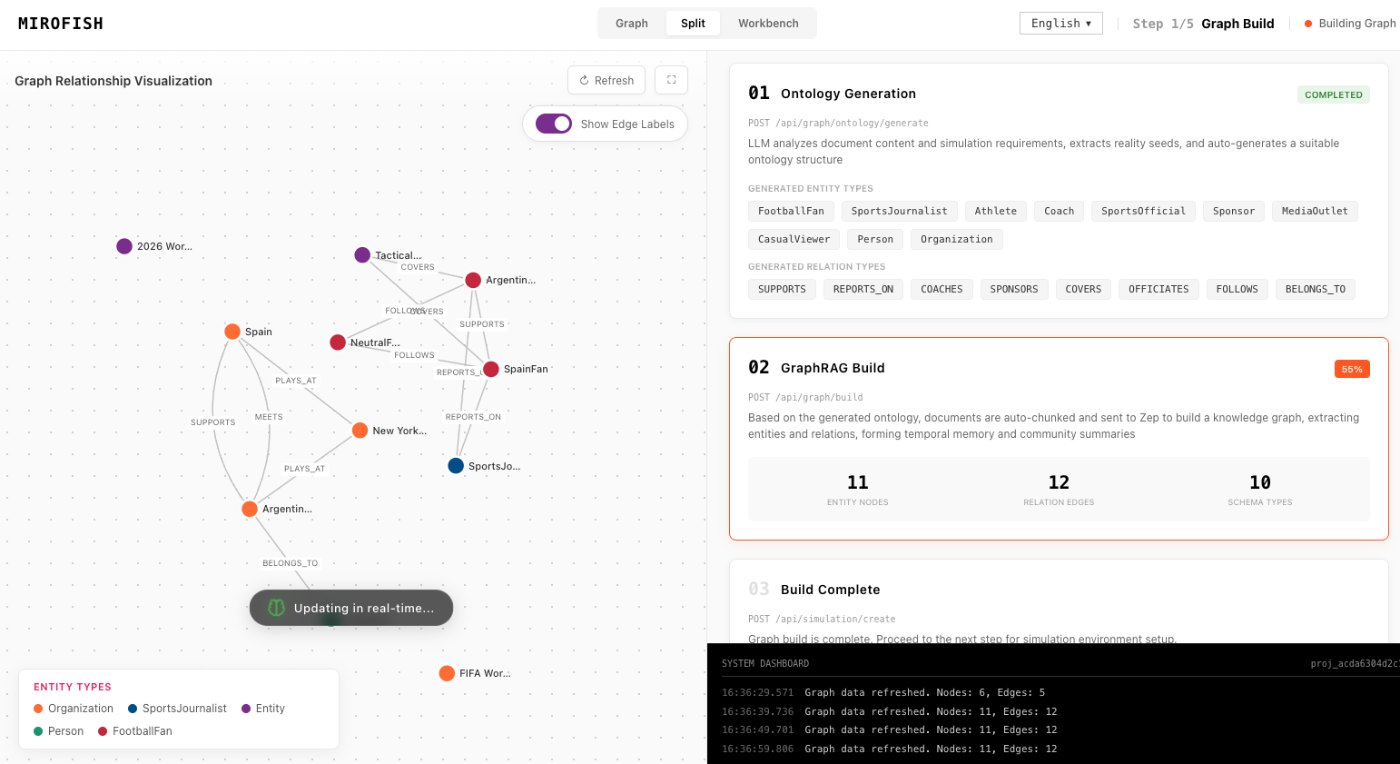
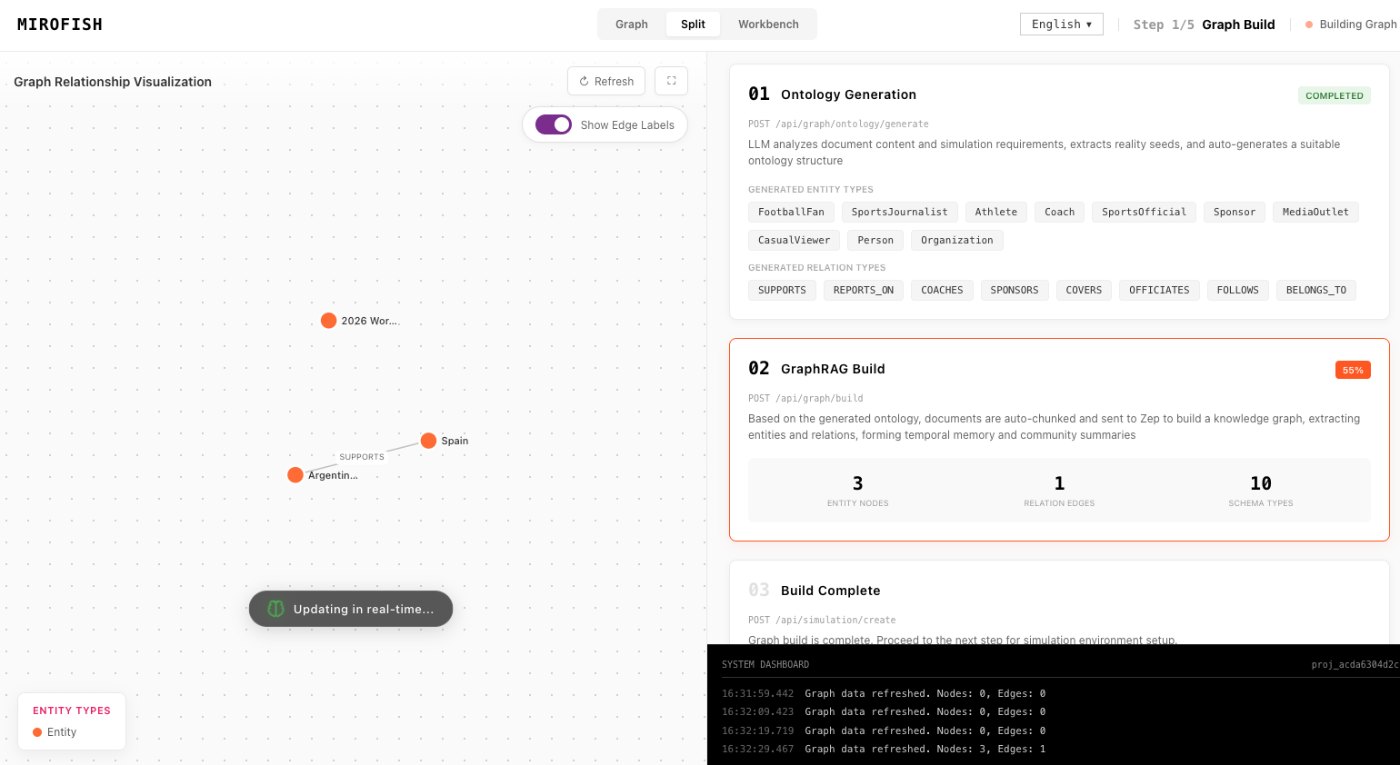
This 2 minute 30 second animated walkthrough moves from source material through graph construction, agent activity, simulation events, report review, and follow-up questions.
2:30 animated walkthrough
Follow the full animated workflow, then use the page-specific checklist to prepare your own MiroFish run.
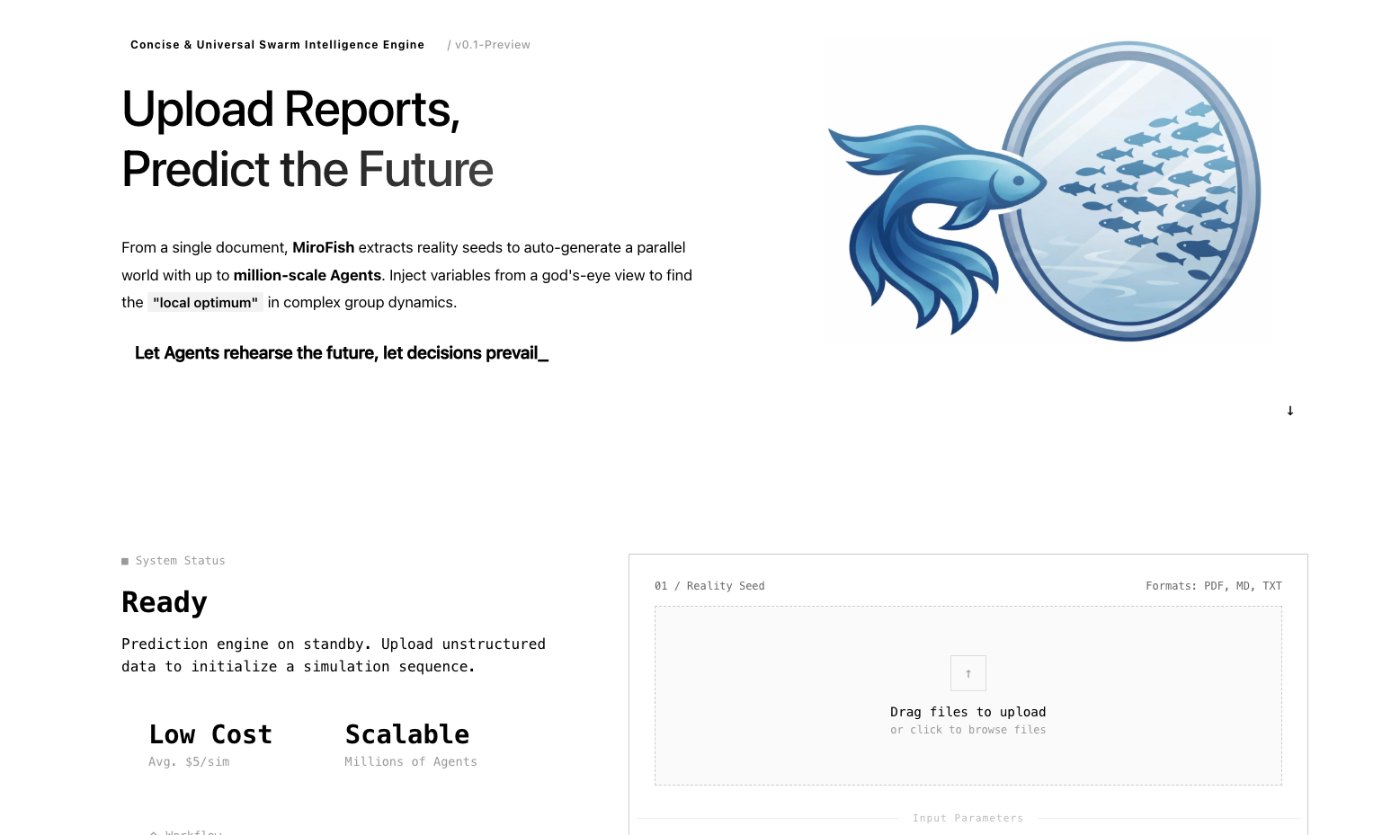
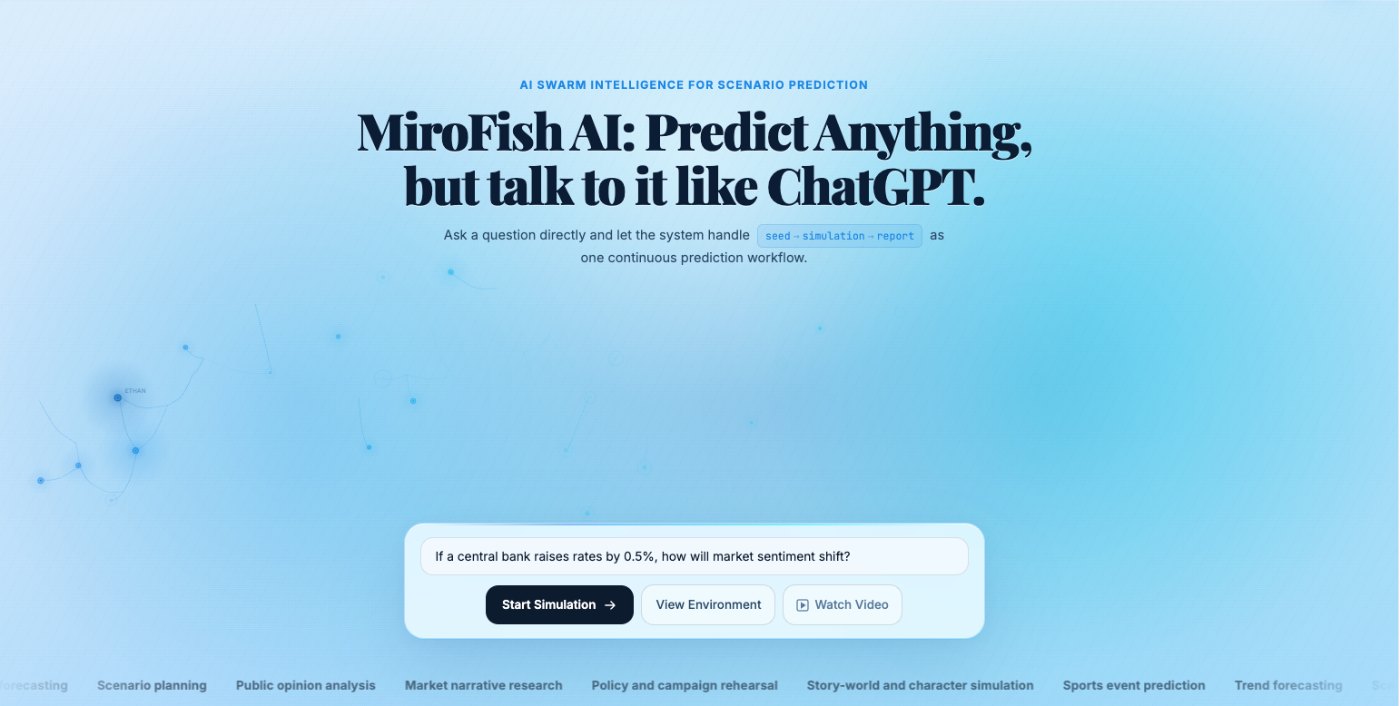
Product screenshots from the workflow
These images come from the notepad MiroFish image set and are used as concrete workflow references rather than decoration.
3 more images
MiroFish seed material upload screen used as a concrete workflow reference.MiroFish graph construction workspace used as a concrete workflow reference.MiroFish homepage prompt workspace used as a concrete workflow reference.
A realistic use case
A nonprofit planning a public campaign can simulate supporter enthusiasm, critic framing, press attention, and sponsor concern. The report helps choose launch timing and proof material.
The value is practical: define the job, prepare the right input, read the output with its limits visible, and choose a next step that can be checked outside the page.
How to read the report
Read a MiroFish report as a map of assumptions and reactions. Mark source-backed claims, uncertain claims, and follow-up questions separately. Then choose one change for the next run instead of accepting the first report as final.