What is MiroFish AI? It is a scenario prediction engine for decision rehearsal.
MiroFish AI helps people rehearse uncertain scenarios. You provide seed material, MiroFish builds context, simulated agents interact, ReportAgent writes a structured report, and follow-up analysis tests changed assumptions.
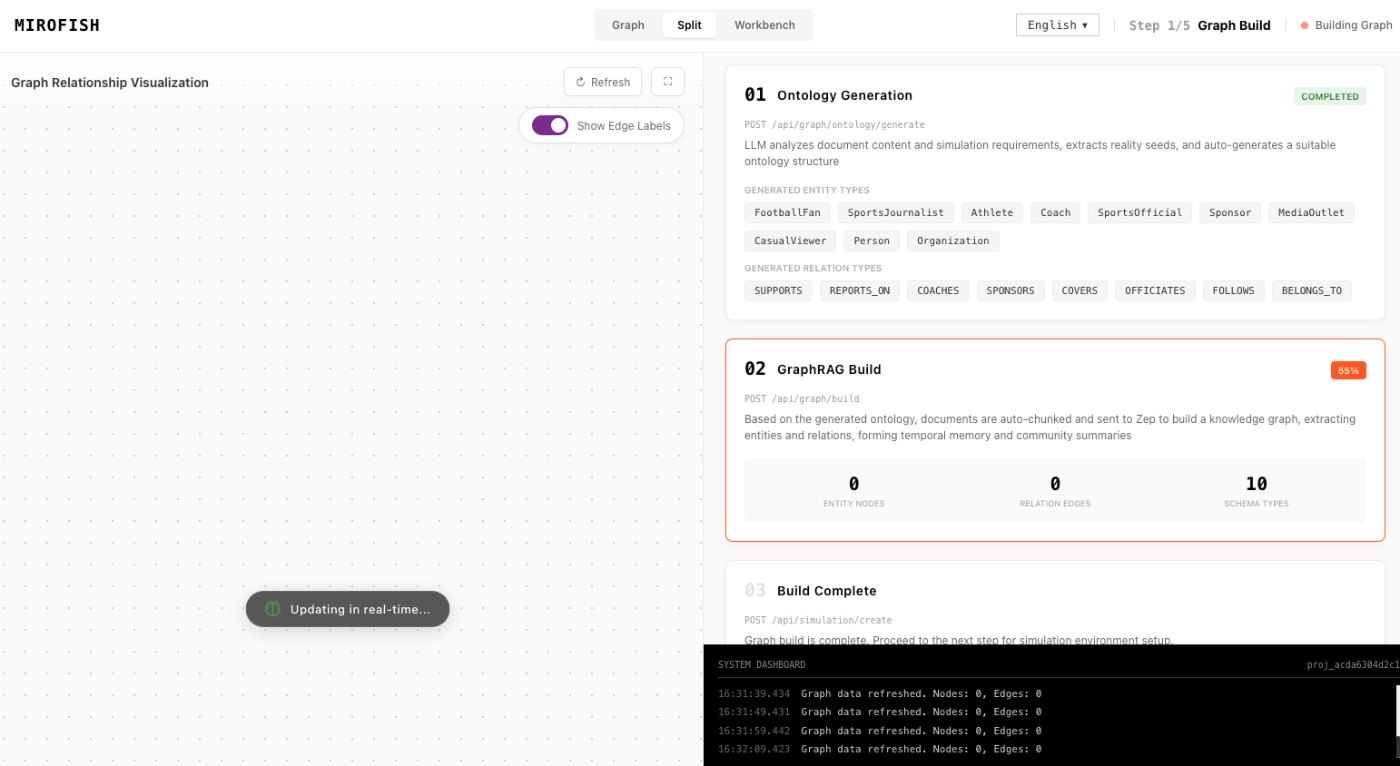
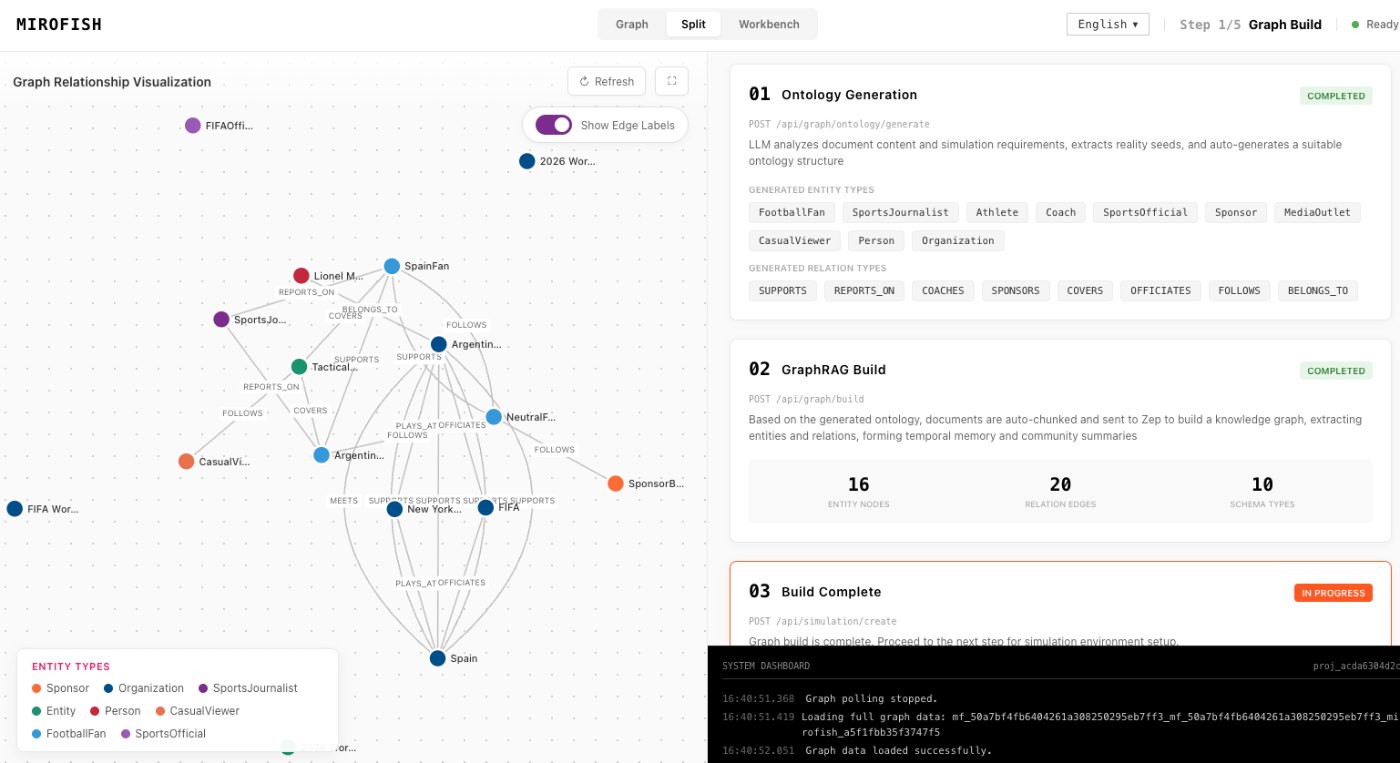
MiroFish source-to-graph workspace used here to explain what is mirofish ai.
1Focused reader question
3MiroFish product images from the notepad set
2:30Animated workflow walkthrough with input, graph, agents, simulation, and report
Direct answer
MiroFish AI is not just a chatbot. The chat-like surface is a control layer for a larger workflow: source upload, graph construction, agent personas, multi-agent simulation, report generation, and follow-up analysis.
The product is useful when a decision depends on human response: buyers, investors, voters, fans, competitors, operators, or communities. It helps compare plausible paths and assumptions before a real-world action.
Turn your question into a reviewable scenario
Use these steps to move from an initial question to a scenario, report, or practical next action.
Seed -> graph -> agents -> report
Start with one decision
The narrower the scenario, the more useful the report.
Upload seed material
Use notes, briefs, transcripts, or research that define the situation.
Inspect the setup
Review graph context and agent personas before trusting the run.
Read and test
Use the report to choose a follow-up question and outside evidence.
Build a quick scenario worksheet
Draft the first MiroFish run on this page before opening a workspace.
Interactive worksheet
Prepare a useful first run
A definition page should answer what the product is before sending the reader anywhere else. In plain terms, MiroFish AI is a scenario rehearsal system: it takes source material, builds context, simulates role-based reactions, and produces a report that shows assumptions and next questions. The reader should leave knowing the category, the input, the process, the output, and the limit.
The product is different from a normal chatbot because the workflow is staged. A chatbot may respond directly to a prompt; this system asks the user to ground the situation first. The graph and agent layers make the answer more inspectable, while ReportAgent makes the final handoff easier to discuss with teammates.
Use the definition to decide whether the tool fits the job. If the task needs a single live fact, use a database, search engine, or measurement tool. If the task needs competing reactions, uncertainty mapping, and a report that can be questioned, the MiroFish workflow is a better match.
A first-time reader should also understand the next action. Prepare a compact seed packet, choose the audience or actor groups that matter, run a small scenario, then read the report as a set of claims to verify. That is the practical answer to the definition question: MiroFish AI is useful when it turns uncertainty into a reviewable work product.
The simplest evaluation is whether the output changes what you do next. If it only sounds impressive, it is not enough. If it gives you a clearer branch map, a set of assumptions, and specific evidence to collect, the workflow has done useful work even before the next real-world signal arrives.
Review checklist
Before acting on a MiroFish output, check whether the scenario stayed inside the question you asked. The most useful output for this page is: A scenario report with paths, reactions, assumptions, risks, weak evidence, and questions for the next run. The key limit is equally important: MiroFish AI supports planning. It does not guarantee future outcomes or replace experts, fresh data, legal review, financial advice, or direct measurement.
Start with one decision. The narrower the scenario, the more useful the report.
Upload seed material. Use notes, briefs, transcripts, or research that define the situation.
Inspect the setup. Review graph context and agent personas before trusting the run.
Read and test. Use the report to choose a follow-up question and outside evidence.
What to compare in the output
Use these checkpoints to turn the first MiroFish result into a grounded next action.
Review before action
Category: AI prediction engine. Scenario rehearsal and report generation. Not guaranteed forecasting.
Input: Seed material and question. Grounds the simulation. Keep it focused.
Process: Graph, personas, simulation. Makes reactions inspectable. Review setup.
Output: Report and follow-up. Supports decisions. Verify important facts.
Watch the full MiroFish workflow
This 2 minute 30 second animated walkthrough moves from source material through graph construction, agent activity, simulation events, report review, and follow-up questions.
2:30 animated walkthrough
Follow the full animated workflow, then use the page-specific checklist to prepare your own MiroFish run.
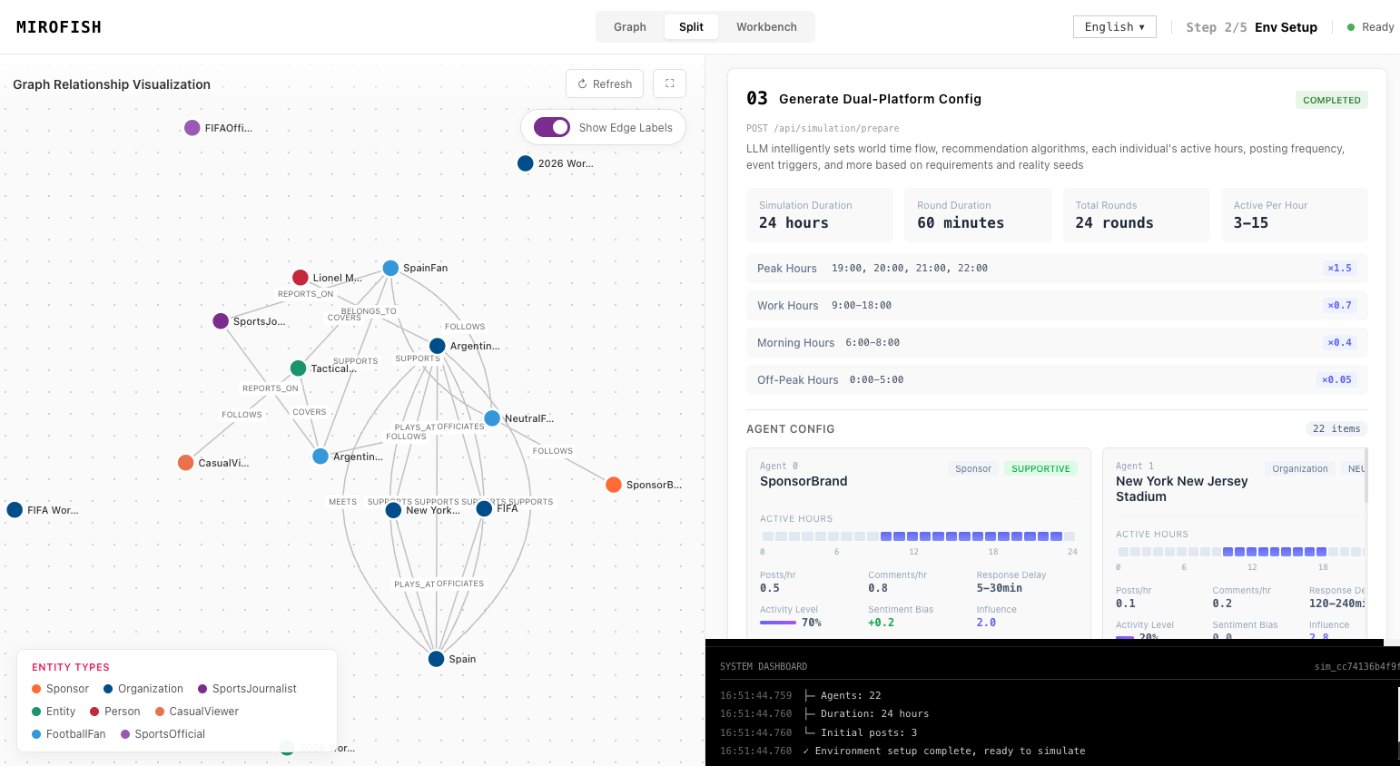
Product screenshots from the workflow
These images come from the notepad MiroFish image set and are used as concrete workflow references rather than decoration.
2 more images
MiroFish event and reaction workspace used as a concrete workflow reference.MiroFish simulation progress screen used as a concrete workflow reference.
A realistic use case
A founder might ask how buyers respond to a positioning change. MiroFish can simulate buyer, competitor, analyst, and internal reactions, then summarize branches and evidence gaps in a report.
The value of the page is practical: define the job, prepare the right input, read the output with its limits visible, and choose a next step that can be checked outside the page.
How to read the report
Read a MiroFish report as a map of assumptions and reactions. Mark source-backed claims, uncertain claims, and follow-up questions separately. Then choose one change for the next run instead of accepting the first report as final.