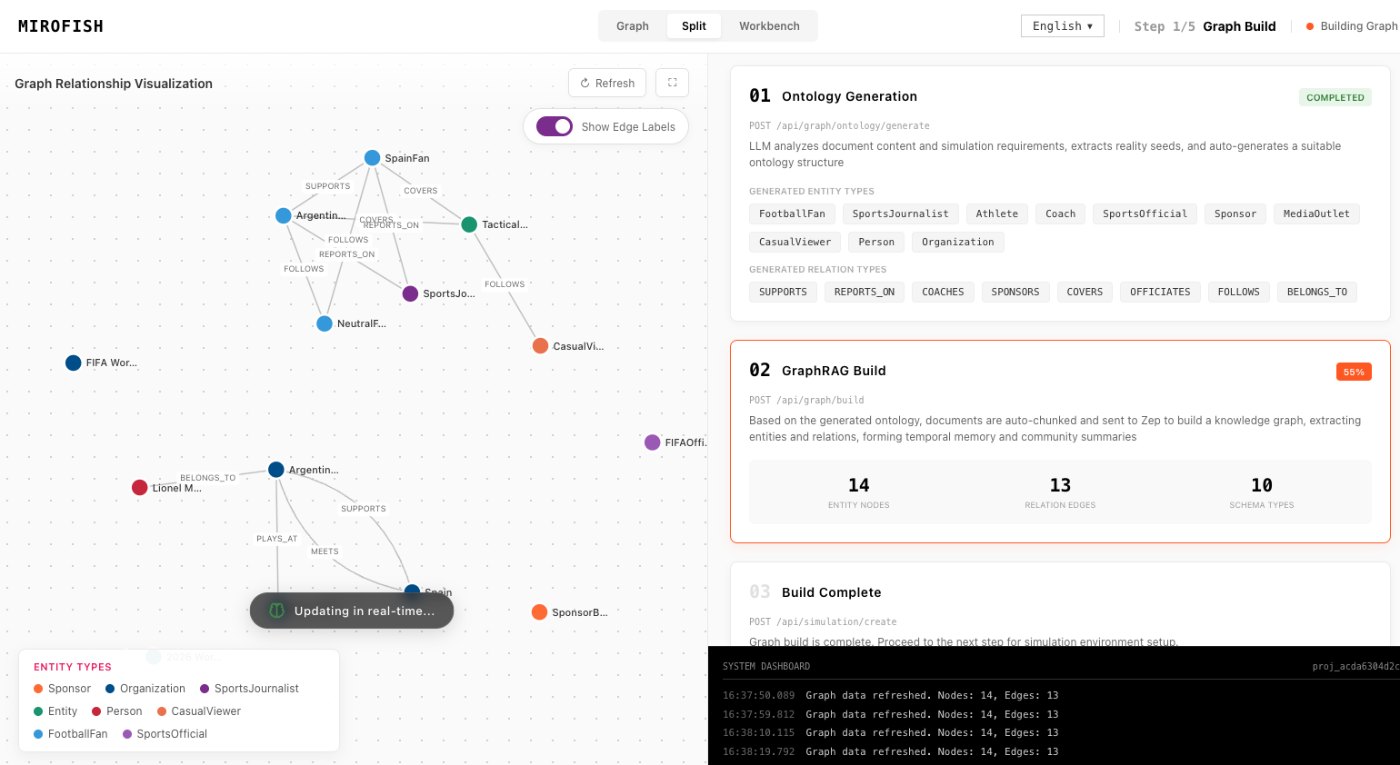
Graph construction turns raw seed material into context MiroFish can inspect.
For MiroFish, graph construction is the step that keeps a simulation grounded. It organizes entities, relationships, claims, dates, and assumptions before simulated agents begin to react.
MiroFish ReportAgent review screen used here to explain graph construction.
1Focused reader question
3MiroFish product images from the notepad set
2:30Animated workflow walkthrough with input, graph, agents, simulation, and report
Direct answer
Someone searching graph construction may be asking how information becomes a usable graph. In MiroFish, the answer starts with seed material: a brief, article, transcript, market note, policy draft, or research packet. The graph should make the important pieces visible before any report is written.
A useful graph is not just a diagram. It is a context layer that helps reviewers ask where an agent opinion came from, which source supported it, and which relationship shaped a scenario branch.
Turn your question into a reviewable scenario
Use these steps to move from an initial question to a scenario, report, or practical next action.
Seed -> graph -> agents -> report
Collect clean material
Use fewer, clearer sources before uploading a noisy dump.
Extract entities
Identify people, organizations, products, events, claims, incentives, and constraints.
Connect relationships
Separate proven relationships from possible influence, narrative association, and analyst assumption.
Review before simulation
Inspect the graph so agent behavior is not based on a hidden or mistaken connection.
Build a quick scenario worksheet
Draft the first MiroFish run on this page before opening a workspace.
Interactive worksheet
Graph construction practical checklist
These checkpoints keep the page tightly matched to the exact search phrase while staying useful for a real MiroFish run.
Reader fit
Graph construction guide checkpoint: Reader intent: a graph construction visitor should get the short answer, the right MiroFish workflow step, and a concrete way to continue without hunting through the site.
Graph construction guide checkpoint: Source packet: use Clean seed documents, named entities, source dates, relationship notes, known disagreements, and a simulation question that tells the graph what matters. Keep the first packet compact so the result can be traced back to evidence instead of broad prompting.
Graph construction guide checkpoint: Workflow fit: connect the search phrase to seed material, graph review, role setup, simulation events, and a report that can be challenged by a human reader.
Graph construction guide checkpoint: Report standard: the best result is A reviewable context map: entities, links, source-backed claims, inferred relationships, assumptions, and unresolved gaps for simulation and reporting. That output should preserve assumptions, disagreement, and next actions rather than sounding certain.
Graph construction guide checkpoint: Verification habit: mark which claims came from source context, which came from agent reaction, and which still need a fresh outside check before action.
Graph construction guide checkpoint: Rerun trigger: choose one changed condition from the report and compare it with the baseline instead of changing the prompt, roles, and evidence all at once.
Graph construction guide checkpoint: Decision use: treat the page as a planning aid, then move into MiroFish only after the question, actors, time horizon, and limit are clear.
Graph construction guide checkpoint: Boundary: Graph construction can amplify messy input. If the source packet contains outdated or contradictory claims, the graph must be reviewed before simulation. A useful reader leaves with a sharper question, not a guarantee.
Prepare a useful first run
Begin the build by separating objects from claims. Objects are people, teams, products, institutions, dates, events, places, documents, and concepts. Claims are statements about those objects. Keeping the two apart makes the workspace easier to inspect because a reviewer can see whether a node is a real thing in the packet or an interpretation derived from a note.
Relationship quality matters more than relationship count. A direct source-backed link should be labeled differently from a weak influence path, a repeated association, or a working assumption. The graph becomes more useful when the reader can tell which edges are reliable enough for simulation and which should be treated as open questions.
Good construction also preserves negative space. If the seed packet does not prove a competitor motive, a customer segment, or a policy constraint, leave that as a gap instead of filling it with confident prose. Missing information is valuable because it gives the final report a real follow-up task.
Review the map before the agents run. Remove duplicate names, merge obvious aliases, check date order, and mark any relationship that came from inference. That review step prevents downstream personas from reacting to clutter and makes the final report easier to defend in a team discussion.
Review checklist
Before acting on a MiroFish output, check whether the scenario stayed inside the question you asked. The most useful output for this page is: A reviewable context map: entities, links, source-backed claims, inferred relationships, assumptions, and unresolved gaps for simulation and reporting. The key limit is equally important: Graph construction can amplify messy input. If the source packet contains outdated or contradictory claims, the graph must be reviewed before simulation.
Collect clean material. Use fewer, clearer sources before uploading a noisy dump.
Connect relationships. Separate proven relationships from possible influence, narrative association, and analyst assumption.
Review before simulation. Inspect the graph so agent behavior is not based on a hidden or mistaken connection.
What to compare in the output
Use these checkpoints to turn the first MiroFish result into a grounded next action.
Review before action
Entity: A person, company, product, event, or concept. Agents can reference the same object consistently. Check names and duplicates.
Relationship: A connection such as buyer of, competitor to, influenced by, or disputed by. Reports can explain why a branch formed. Separate fact from inference.
Source claim: A statement tied to a document or note. Reviewers can trace evidence. Reject unsourced claims.
Assumption gap: Something the graph needs but the seed did not prove. Follow-up analysis becomes focused. Mark it before the report.
Watch the full MiroFish workflow
This 2 minute 30 second animated walkthrough moves from source material through graph construction, agent activity, simulation events, report review, and follow-up questions.
2:30 animated walkthrough
Follow the full animated workflow, then use the page-specific checklist to prepare your own MiroFish run.
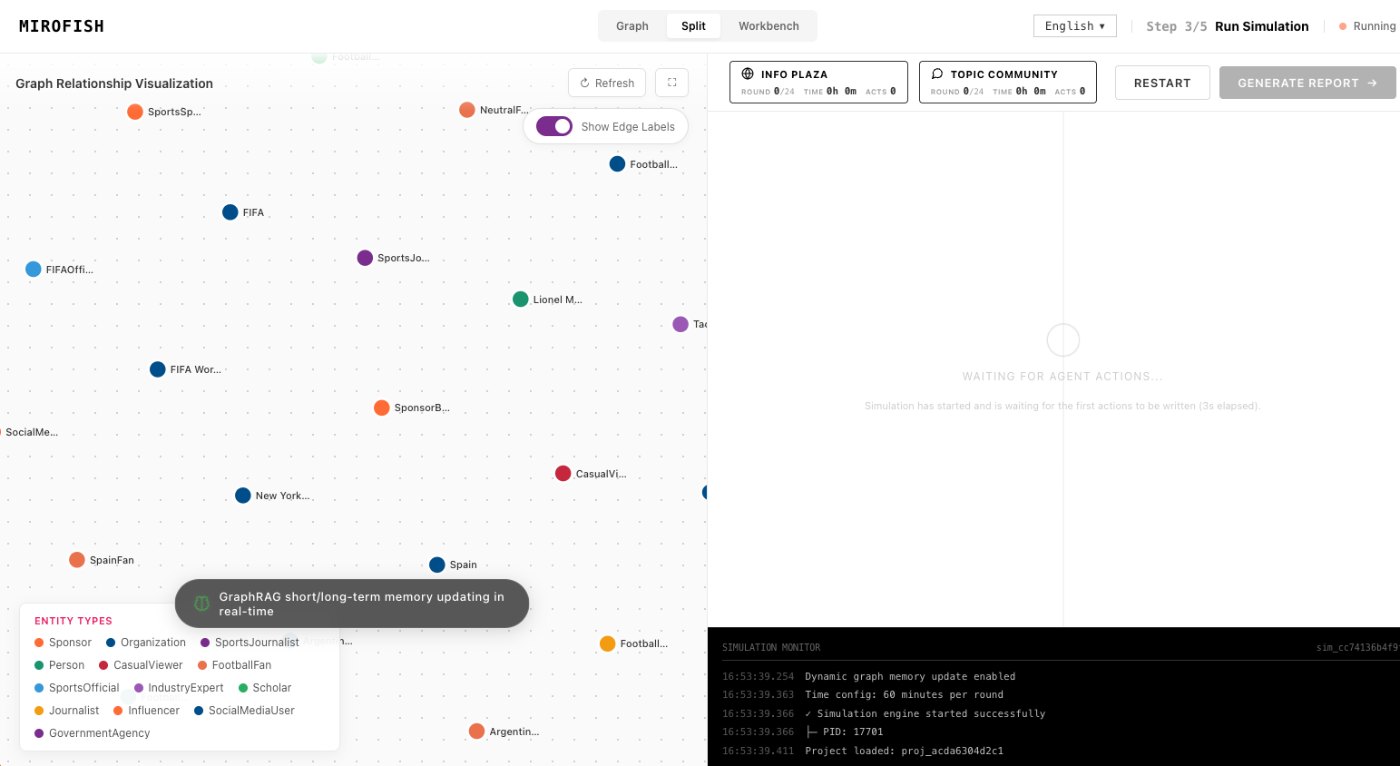
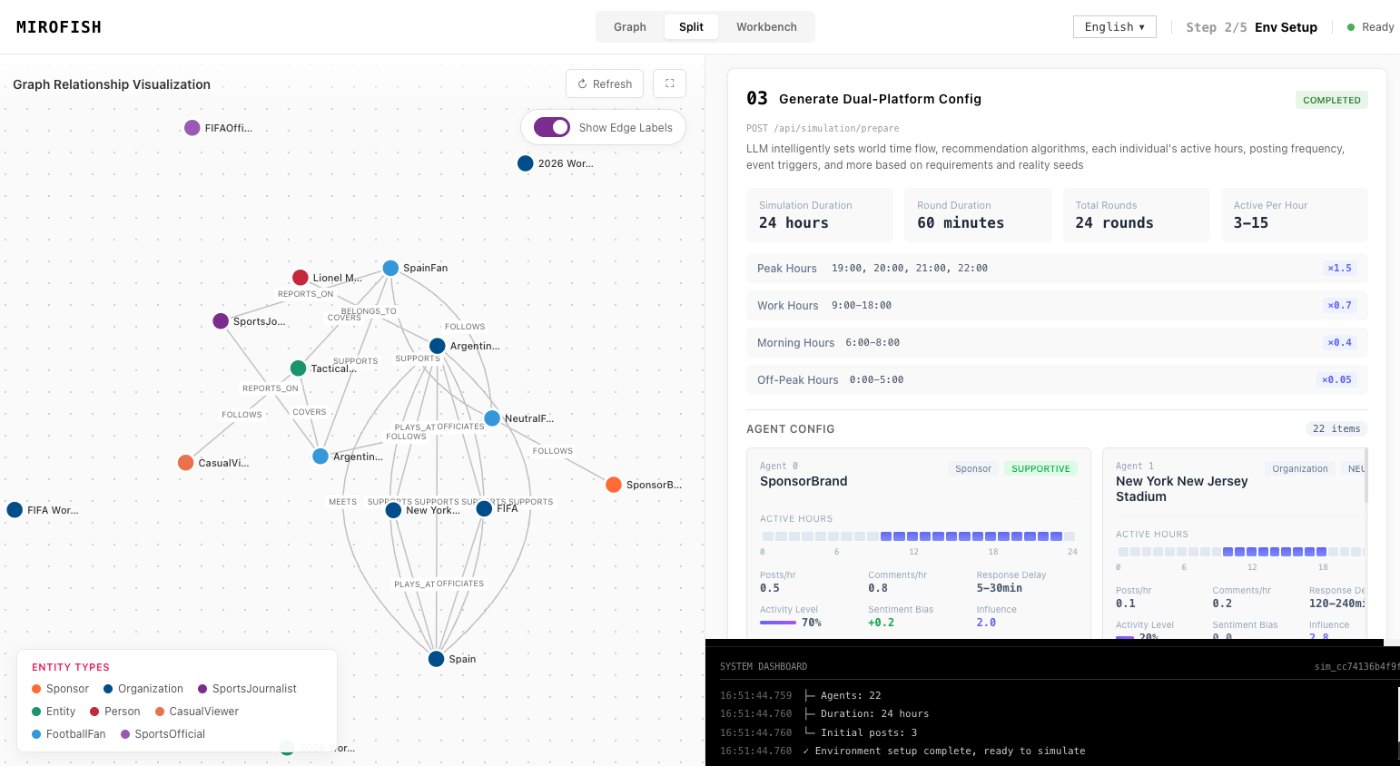
Product screenshots from the workflow
These images come from the notepad MiroFish image set and are used as concrete workflow references rather than decoration.
2 more images
MiroFish simulation world setup used as a concrete workflow reference.MiroFish event and reaction workspace used as a concrete workflow reference.
A realistic use case
For a product launch simulation, graph construction may connect customers, features, competitor claims, pricing objections, analyst quotes, and rollout dates. That graph becomes the memory layer for personas and the evidence base for the final report.
The value of the page is practical: define the job, prepare the right input, read the output with its limits visible, and choose a next step that can be checked outside the page.
How to read the report
Read a MiroFish report as a map of assumptions and reactions. Mark source-backed claims, uncertain claims, and follow-up questions separately. Then choose one change for the next run instead of accepting the first report as final.